Otter Work Mode: Reviewed Sales Follow-Ups for Kenyan SMEs
A practical Kenyan SME workflow for reviewing Otter Work Mode follow-ups before CRM updates, with pricing, access limits, safeguards and measures.
UniqueTechCamp Editorial
Digital Services Team • UniqueTechCamp Engineering Unit
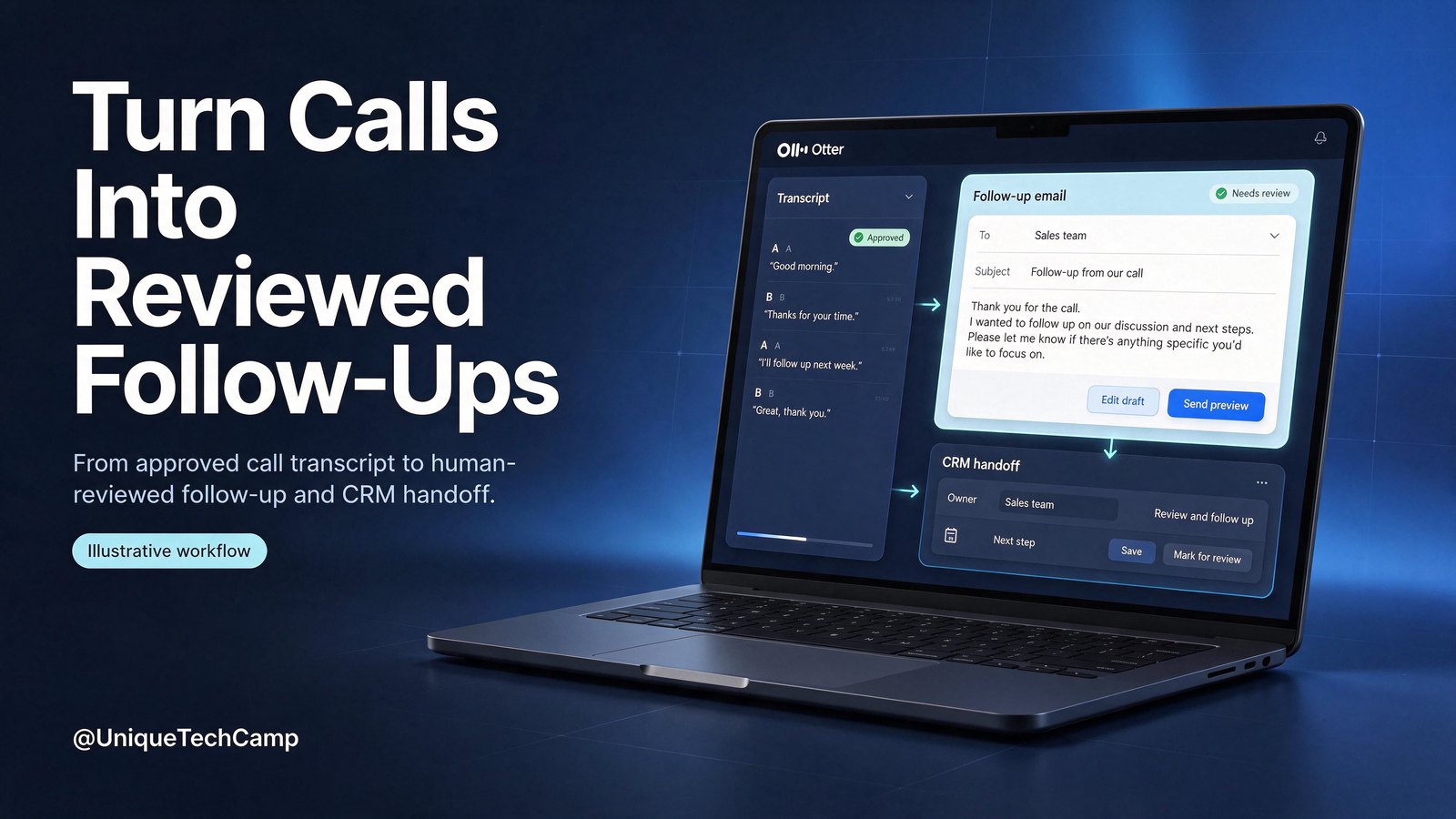
A sales call can end with agreement in the room and still produce no dependable next step. The owner remembers one price objection, the salesperson remembers a different date, and the CRM contains a vague note such as “follow up soon”. A week later, nobody knows whether a quote was promised, who owns it or whether the prospect is still active.
Otter’s Work Mode offers a possible way to make the handoff more structured. Its official launch was 27 October 2026, not a new product launch today. The question is whether a transcript can become a reviewed follow-up and controlled CRM handoff without altering the pipeline blindly.
This article proposes a low-risk pilot. Otter may prepare insights, a draft email and a proposed CRM update. A named person checks the transcript, customer identity, owner, date, timezone and uncertainty before applying any change. The first version uses a manual review queue: no automatic email, no automatic stage change and no assumption that a native approval gate exists for every CRM write. A business considering broader automation can explore the UniqueTechCamp AI assistant service ↗ as a separate implementation discussion, not a guarantee.
The owner problem: a good call becomes a weak record
For a Kenyan SME, the gap is often operational rather than technical. A sales lead may run several calls while the next-action owner works from a different CRM view. Important details get lost: the exact need, decision date, document owner and whether “next Tuesday” means the customer’s timezone or the team’s.
The remedy is not to ask AI to decide who should receive a quote. It is to create a reviewable chain:
- capture an agreed recording and transcript;
- extract evidence-backed insights;
- draft a follow-up with unknowns marked;
- propose low-risk CRM text and tasks;
- let a human verify and apply the approved changes manually.
A draft is not a sent message, and a mapped field is not proof of the right opportunity. Keep this pilot to sales discovery, next steps and reminders—not contracts, legal interpretation or medical records.
What Work Mode documents — and what it does not
Otter’s official announcement ↗ describes Work Mode across the meeting lifecycle. Before a call, it can use prior conversations, open action items, teammate context and connected files to prepare a private brief. During a call, Live Assist can surface private coaching prompts. After the call, Work Mode can prepare follow-up emails, proposals or contracts, scorecards and CRM updates for review.
For this article, the post-call portion is the relevant boundary. “Ready to review and send” supports a draft-and-review design; it does not prove that every CRM write has a mandatory native approval gate. The owner must therefore supply the operating control: a restricted queue, a named reviewer, a checklist and a record of what was accepted, corrected or rejected.
The CRM custom-field documentation ↗ says AI-generated insights such as summaries, pain points, next steps and action items can map to Salesforce Opportunity fields or HubSpot Deal fields. It documents “write if empty”, “overwrite” and “append” behaviours. That is useful, but it also creates a hazard: overwrite can replace a useful human note, while append can create clutter or duplicate commitments.
A safer first map is text-only and low-risk. Pain points can go to a review-only text field; agreed next steps can become a proposed note; action items can sit in the review queue until an owner confirms them. Do not let the first pilot change deal stage, forecast, probability, quote status or customer commitment automatically.
Access, pricing and practical limits
The Otter pricing page ↗ lists Basic as free, with 300 monthly transcription minutes, a 30-minute per-conversation limit, three lifetime audio/video imports and AI meeting workflows. Basic AI workflows do not establish that Work Mode is available on the free tier, so do not build a pilot around that assumption.
The published Pro price is US$16.99 per user per month, billed monthly, or US$8.33 per user per month, billed annually. Pro lists 1,200 in-app recording minutes, 90-minute meetings, 10 monthly imports and Salesforce, HubSpot and Zapier integrations, subject to user limits. Business adds custom AI workflows; Enterprise is custom-priced and lists custom CRM or dialler integrations, API and webhooks, SSO and SCIM. A Pro integration listing does not establish access to every Enterprise custom-field mapping feature: confirm that entitlement separately.
These are published USD prices, not a Kenya-specific quote. Verify signup, taxes, payment route, availability and CRM eligibility directly with Otter. Do not assume M-Pesa support, local billing currency or a Kenya data region. The page mentions website cards and Apple or Google in-app billing, and says PayPal is not currently supported; check those details for the buyer’s account.
The 27 October announcement described Work Mode as available to all paid users at launch. It described Live Assist as initially enterprise-only and rolling out to paid users over the following weeks. Treat those as dated product statements, not a promise that every rollout is complete now. The announcement also described a pre-call auto-brief as coming soon; do not present that as an available feature without checking the current product.
For language fit, choose an English call and test names, numbers, prices and product terms against real Kenyan examples. Do not assume Kiswahili or English–Kiswahili code-switching support. Record participant awareness and agreement before recording, and review notification, auto-join, sharing and retention settings. Otter’s Notetaker settings guidance ↗, recording permissions guidance ↗ and auto-share instructions ↗ are useful configuration references. A bot joining a meeting is not evidence that every participant agreed.
CRM eligibility is equally specific. The Salesforce guidance ↗ says the integration requires Sales Cloud Enterprise, Unlimited or Developer Edition; Salesforce Sandbox is unsupported. Automatic sync requires a calendar-event recording with at least one external guest and a matching Salesforce Contact. Manual recordings need the calendar event selected, and manual export is an Enterprise feature. The documented mapping chooses the most recent Opportunity or Deal associated with a meeting participant’s Contact. That can be wrong when several open deals exist or when the wrong contact attends.
For the first pilot, keep review outside the CRM and apply approved changes manually with an audit note. A UniqueTechCamp CRM workflow review ↗ can help map this handoff. Later connector tests require admin-approved synthetic records and an eligible account. Salesforce Sandbox is not an option; agree a tightly isolated production-account test with the CRM administrator or remain manual.
An eight-step owner workflow for a Kenyan SME
Step 1: Set the recording and consent boundary
Choose the call types that may enter the pilot. Before recording, tell participants that the meeting will be recorded and how the transcript will be used for follow-up review. Record awareness and agreement in the meeting process. Do not capture sensitive personal details that the sales handoff does not need. If someone does not agree, use the manual note template instead.
Step 2: Define the evidence packet
For each call, keep the meeting date, participants, company, contact email or CRM identifier, transcript link, salesperson, opportunity candidate and meeting timezone. The transcript is evidence; the proposed summary is an interpretation. Require the reviewer to open the relevant passage before accepting a price, deadline, competitor mention or commitment.
Step 3: Prepare a restricted review queue
Create a queue outside the production CRM with statuses such as New, Needs clarification, Approved for manual update, Rejected and Applied. Give access only to the salesperson, reviewer and owner. Do not connect a first pilot to automatic email or automatic stage changes. A review status is an operating design, not a claim about Otter’s native permissions.
Step 4: Use a conservative insight map
In the external queue, map pain points to a proposed text field, agreed next steps to a proposed note, and action items to a proposed task. Keep stage, forecast, amount, close date and quote status human-owned. Only in a later connector test consider “write if empty”; it prevents replacement of non-empty text, not wrong-record writes. Append is not duplicate prevention.
Step 5: Check the CRM match
Confirm the participant is the right Contact and that the proposed Opportunity or Deal is the intended one. Inspect the most recent associated record rather than assuming it is correct. If two customers share a name, the contact is missing, or several opportunities are open, stop and resolve the identity manually. Never treat a name match alone as sufficient evidence.
Step 6: Review the follow-up draft
Check that the draft says what was actually agreed, names the owner, gives a date and timezone, and labels uncertainty. Remove invented commitments, unsupported pricing, unapproved discounts and language that sounds like a contract. The reviewer sends nothing from the pilot automatically. If an email is useful, a human copies the approved wording into the normal business channel and records that action.
Step 7: Apply the smallest approved change
The reviewer manually updates only the approved text field or task, then records the before-and-after value, reviewer, timestamp and source transcript. Do not advance a stage or alter a forecast merely because the transcript sounds positive. If a later connector is introduced, test it first with synthetic non-customers and admin-approved access; keep production changes subject to the documented Salesforce constraint.
Step 8: Reconcile and pause
At week end, compare calls entering the queue with calls reviewed, rejected, applied and unresolved. Pause when the wrong opportunity is selected, a participant disputes recording, a draft invents a commitment, a restricted transcript is exposed or duplicate tasks appear. Preserve the failed item, correct the source or mapping and retest; do not solve an unsafe output by granting broader access.
Sample prompt for a reviewed handoff
“Using only this meeting transcript and the supplied CRM context, draft a review item. Extract: customer need, evidence quote or timestamp, agreed next step, owner, due date, timezone, uncertainty, proposed text field and proposed task. Do not infer a commitment from a question or polite acknowledgement. Do not invent price, discount, close date, deal stage, forecast, legal term or customer approval. If the contact or opportunity match is uncertain, mark Needs clarification. Draft a follow-up email for a human to edit; do not send it. Propose no automatic CRM write. Keep participant details limited to what the sales handoff requires.”
This prompt must be tested, not treated as a guarantee. Try an ambiguous deadline, two open opportunities, a missing Contact, an example price and a call without documented recording agreement.
A hypothetical baseline and measures
Use a hypothetical baseline rather than a vendor ROI claim. Suppose a 12-person Kenyan sales team has 40 sales calls in a month. For four weeks before the pilot, record the number of calls with a named next step, an owner, a due date and a matching CRM opportunity. Also record reviewer minutes, time from call end to approved follow-up, duplicate tasks, incorrect matches, rejected drafts and unresolved items.
Run the same measures during a four-week pilot. Track complete accepted follow-ups divided by reviewed follow-ups; correct opportunity matches divided by reviewed matches; and uncorrected tasks divided by applied tasks. Where the denominator is zero, the ratio is undefined. Record median review time and material-correction rate. For cost per accepted follow-up, divide allocated subscriptions, setup and reviewer time valued at an agreed internal rate by accepted follow-ups; include failures and retries. With none accepted, that cost ratio is undefined, not zero. Track replies and held next meetings separately; neither proves incremental sales.
Continue only if each accepted change traces to a transcript, uncertain records are stopped, participant handling is documented, duplicates are controlled and plan cost is understood. If accuracy is weak or review takes longer than manual notes, keep the process manual. Do not turn a favourable early count into a revenue promise.
Limitations and stop checks
Otter does not remove the need for a sales owner. Transcripts can omit context, mishear names or flatten a negotiation. The documented CRM mapping is constrained by Contacts, calendar events, participant association, supported objects, plan limits and text-field rules. “Most recent” is not the same as “correct”.
Stop the pilot if recording awareness or agreement is missing; if a transcript exposes unrelated confidential information; if an email contains an invented commitment; if the wrong Contact or Opportunity is selected; if a reviewer cannot explain a proposed field value; if a duplicate task is created; or if someone asks the workflow to make a legal, medical or contract decision. Remove or restrict the item, preserve the audit trail and escalate to the responsible human.
Do not promise reliable local language performance, Kenya-specific billing, M-Pesa payment, a Salesforce Sandbox path or automatic validation of platform object IDs. Check the current product, your CRM edition and your own data-handling requirements before expanding access. This is a workflow design, not legal advice or a substitute for a contract, privacy review or participant-specific consent process.
Four questions owners should ask
Does Work Mode automatically send the follow-up?
Not in this pilot. It may prepare a draft, but the operating rule is human review, manual editing and manual sending through the approved channel. Keep automatic email off until the team has tested identity, consent, accuracy and opt-out handling.
Can it safely update any CRM record?
No. Otter documents Salesforce Opportunity and HubSpot Deal mapping with contact and association constraints, and its Salesforce guidance specifies editions, calendar-event conditions and no Sandbox support. A human must verify the record before applying a change.
Which plan should a Kenyan SME buy?
There is no universal answer. Basic is published as free, while Pro, Business and Enterprise have different minutes, meeting, workflow and integration boundaries. Compare the published USD prices with your actual call volume, verify payment and availability directly, and start with the smallest eligible pilot rather than assuming a plan guarantees a result.
What if the transcript is uncertain or the customer speaks mixed languages?
Mark the item Needs clarification and return it to the salesperson. Test English names, figures and terms on real calls; do not assume Kiswahili or code-switching accuracy. If the reviewer cannot verify a commitment from the recording or notes, do not put it into the CRM as fact.
Conclusion
Otter Work Mode is most useful here as a preparation layer in a disciplined sales process: transcript to evidence, evidence to draft, draft to human review, and only then to a small CRM update. The safe starting point is deliberately unglamorous—consent, a restricted queue, text-only fields, manual approval, audit notes and clear stop checks. Measure review quality and correction effort before widening scope. That gives a Kenyan SME a testable handoff without pretending AI owns the pipeline.
Need this built for your business?
If your sales team has calls but no dependable reviewed handoff, start with the UniqueTechCamp AI assistant service ↗, book a scoped discussion through appointments ↗, or review the CRM systems service ↗ before deciding whether Otter belongs in the process.
Deploy An Autonomous AI Lead Gen System Today
We engineer high-converting web applications with integrated 24/7 WhatsApp qualification bots and multi-channel follow-up drips.
Related Strategy Articles

Gemini Small-Business Tools: A Safe Growth Pilot for Kenyan SMEs
Google's Gemini business page brings brand, finance and app tools together. A cautious pilot for Kenyan SMEs, with privacy and review checks.
Google Docs Captions and Cross-References for Kenyan SMEs
Use Google Docs captions, cross-references and caption tables to keep Kenyan SME reports and tender documents easier to navigate after edits.

ChatGPT for Sales: A Human-Reviewed CRM Pilot for Kenyan SMEs
OpenAI's new ChatGPT for Sales adds sales workflows. Learn how Kenyan SMEs can pilot CRM connections with human review, privacy checks and clear measures.
UniqueTechCamp Desk
Online • Reply < 5 mins