The Digital Guest Journey for a Kenyan Café: Menu, WhatsApp Booking and Follow-Up
Kenyan café guest journey: mobile menus, staff-confirmed WhatsApp bookings, reminders and permission-based follow-up.
UniqueTechCamp Editorial
Editorial Team • UniqueTechCamp Engineering Unit
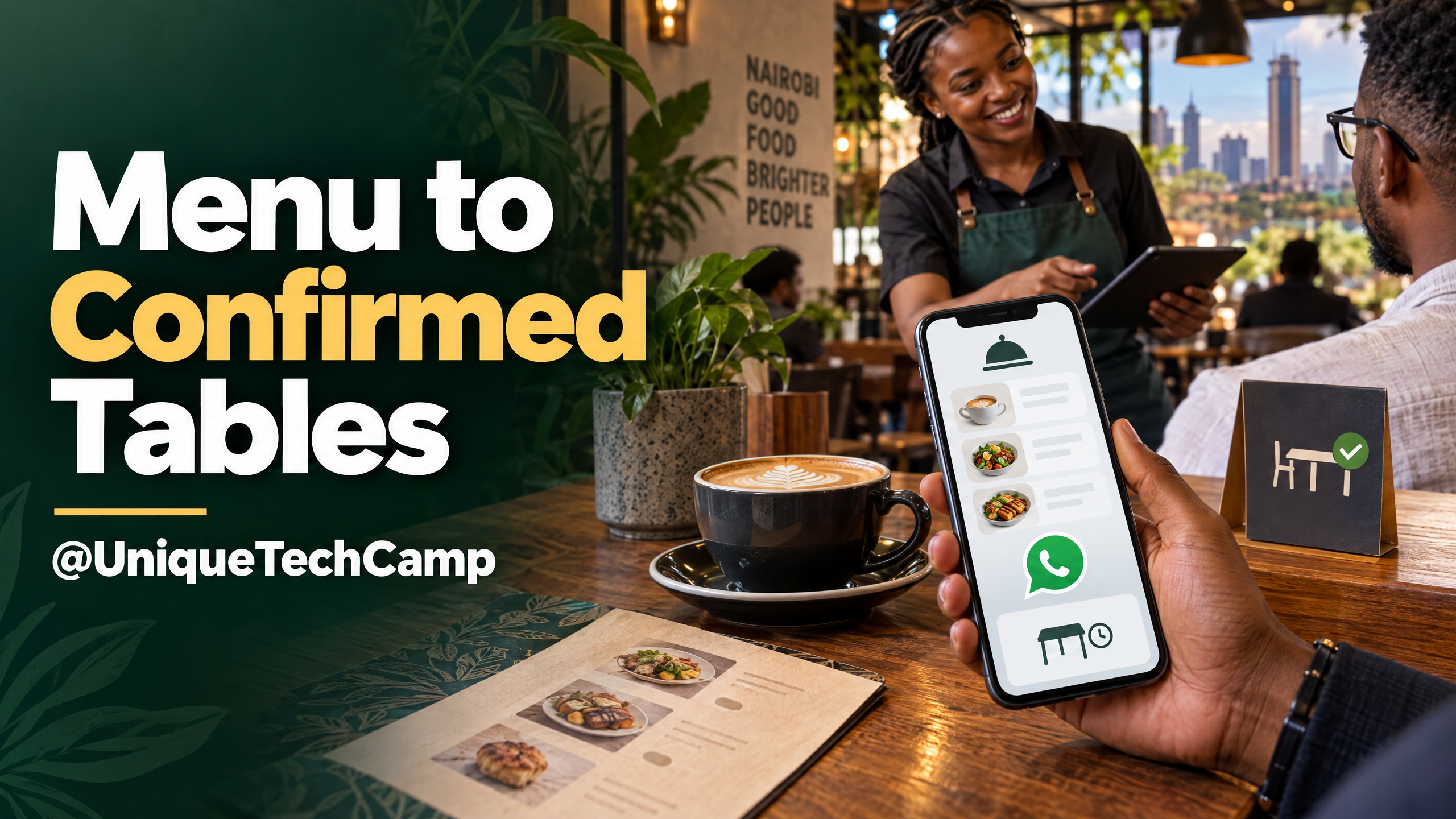
A guest finds a café on Maps, checks the menu on a phone and sends a message asking for a table. The visit can still go wrong if the hours are old, the menu is a blurry image, the message lands in an unattended inbox or an automated reply sounds like a confirmed reservation when nobody has checked the tables.
A useful digital guest journey is not a collection of buttons. It is the sequence from discovery to a real visit and, where the guest has agreed, a relevant return visit. For a Kenyan café, that means making the menu and location easy to trust, turning a question into a clear request, giving staff ownership of confirmation and making follow-up feel expected rather than intrusive.
The aim is modest: remove avoidable uncertainty for both the guest and the team. Start with one real scenario, such as a Saturday table request that includes a dietary question, and design the hand-offs around it.
Make the first mobile visit useful
Before adding a bot or a new reservation platform, check what a guest sees when they look for the café on a phone. Can they tell where it is, whether it is open, what the menu currently contains and how to ask for a table? If they must pinch-zoom a poster, hunt through old social posts or guess whether a message was received, the journey has already added friction.
Keep the public business details consistent. Google’s Business Profile editing guide lists details owners can manage, including address, hours, contact information, photos and menu or services where those features are available. The separate hours guide covers normal opening hours and temporary special hours, such as a holiday or event. Assign someone to review these details whenever the real-world schedule changes.
 lists details owners can manage, including address, hours, contact information, photos and menu or services where those features are available. The separate
Google says a profile can have a menu link, as well as local-action links for bookings, reservations and food orders, depending on the link type and profile. Its local business links guide explains those options. Point each action to the page that completes it: a menu link should open the current menu, and a reservation link should start the booking flow rather than send everyone to a generic homepage. A visible button is only a route to an action; it does not guarantee a booking.
A Google Business Profile is free to create, according to Google’s Business Profile page . That does not make every part of the journey free. Website development, photography, booking tools, integrations, messaging charges and staff time can still carry costs.
Put the menu content in selectable text wherever practical. Group items in a way guests recognise, keep descriptions and prices current, and mark seasonal items clearly. If a PDF or image is also useful for printing, provide a text-based menu page as an alternative. The W3C explanation of WCAG’s Images of Text criterion recommends using text rather than an image of text when the same visual presentation can be achieved, so people can adjust how the text appears. It is a practical design principle, not a café-specific compliance assessment.
Keep the primary action visible without making the page feel like a sales funnel. A guest should be able to open the menu, check the location and choose to call, request a table or message the team. Test those actions on an ordinary mobile connection, not only on the café’s office Wi-Fi.
Treat a booking as a request until someone confirms it
A reservation request is information for the team to review. A confirmed table is a commitment the café has accepted. The interface and the messages should make the difference obvious.
For a standard table enquiry, the form or chat might ask for the date, preferred time, party size, a name and a contact route. Let the guest add an occasion or a relevant access or dietary question if they wish. Avoid collecting information that staff do not need to respond. Make it clear who will see the details and why. Kenya’s Data Protection Act sets principles that include transparent, purpose-limited processing and collecting no more personal data than necessary. The right form fields still depend on the café’s actual workflow.
After the guest submits a request, send an acknowledgement that says exactly what has happened: “We have received your request for a table. Our team will check availability and reply.” Do not say “Your table is confirmed” until a staff member or a live booking system has verified capacity. This simple wording avoids a familiar failure: an automated message feels final, but the café has no record of accepting the booking.
Give the team a small queue with a named owner and a visible state for each request. A practical sequence is received, checking, confirmed, declined or cancelled. Staff should be able to see the requested date, time, party size, channel, last reply and next action without searching several devices. If the café uses a diary rather than live inventory, the confirmation step must include a check against that diary.
When staff confirm, repeat the useful details in one concise message: date, time, party size, location or branch, any agreed seating note and how to change or cancel. If the requested time is unavailable, offer a realistic alternative and let the guest choose. For a large group, private event, peak period or unusual request, route the conversation to a person rather than making the bot guess.
Dietary and allergen questions deserve particular care. A chat flow can capture the guest’s question and route it to the kitchen or a trained staff member, but it should not infer that a dish is safe from an incomplete ingredient list. If the team cannot confirm an answer, say so and let the guest decide what to do next. Keep the staff response in the booking record only if it is needed to deliver the agreed service.
For a descriptive example, the KAWA’s Café portfolio entry describes a digital menu, event bookings and WhatsApp table reservations. It is an example of a journey to inspect, not evidence that a particular result is guaranteed. In its hospitality work, UniqueTechCamp can be asked to show how a guest request reaches the person responsible for checking tables, handling exceptions and closing the loop.
Use WhatsApp for clarity, not for pretending to have live capacity
A direct chat can be convenient when guests already use it, but the operating model matters. Meta describes the WhatsApp Business Platform as an API-based way for businesses to manage two-way conversations, customer updates and integrations. A café that receives a manageable number of messages may prefer a simpler staff-led process; an API integration adds setup, monitoring and account responsibilities rather than removing the need for an owner.
Do not treat possession of a phone number as permission for every future message. Meta’s WhatsApp opt-in guidance says a business must obtain opt-in before messaging people. The business name and the fact that the person is agreeing to receive messages should be clear. Tell guests what they are agreeing to receive. A table-request acknowledgement and optional news about offers are different purposes, so do not hide promotional consent inside an essential booking action.
If the café uses the Business Platform, the WhatsApp Business Messaging Policy requires approved templates to initiate conversations. Outside the 24-hour customer-service window, the policy allows only approved templates; during the window, automation still needs a prompt, clear and direct route to a human. Build the fallback into the workflow: say when staff are available, offer a call or email route, and assign an inbox owner. Platform windows govern message format; they are not a reason to send a message the guest did not expect.
A safe reminder is one that serves the booking the guest asked for, arrives at a reasonable time chosen by the café and gives a way to correct or cancel the request. A promotional follow-up after the visit is different. Kenya’s Data Protection (General) Regulations set conditions for using personal data for direct marketing, including notice, consent and a simplified opt-out. The ODPC’s guidance note on consent is a Kenyan reference for operators designing those choices. This is operational guidance, not legal advice; ask a qualified adviser to review the café’s particular notice and message plan.
Keep a record of the permission that matches the message type, the time and source of the choice, and any later stop request. Make opting out straightforward, then ensure the queued message is suppressed as well as future campaigns. Limit access to booking information to the people who need it, and set a retention rule so old enquiries are not kept indefinitely by default.
Choose the smallest system that can carry the hand-off
There is no single right technology for every café. A clear menu page and a WhatsApp link may be enough when staff can respond reliably and table capacity is managed manually. A booking tool can help when there are several shifts or branches, but check how it handles edits, cancellations, busy periods and staff access. A custom integration becomes more useful when the café needs to connect several existing systems or preserve booking context across channels. Do not buy a chatbot simply because it is available.
Ask for a written cost breakdown before agreeing to a build. Separate one-off work, such as menu structure, page design, content entry, photography, booking configuration, integration and staff training, from recurring items, such as hosting, support, reservation software, messaging-provider fees and maintenance. Include the café’s own time for keeping prices, availability, hours and event details current. Ask which accounts the café owns, what happens if a provider changes, how data can be exported and what is outside the support agreement.
For a WhatsApp Business Platform integration, ask whether the quote includes provider fees and message charges, how templates are managed, and who monitors failed notifications. For a third-party reservation product, ask about usage limits, cancellation handling and whether the guest can reach the café without creating an account. Do not compare a website quote with a monthly software subscription as though they cover the same work. Compare the full operating cost over the period you expect to use the solution, and ask for assumptions instead of accepting an unexplained total.
A practical scope can begin with a single mobile menu page, current location and hours, one clearly labelled reservation route and a staff confirmation queue. Add automation only when a measured bottleneck justifies it. The UniqueTechCamp Cafés service page describes digital menus, event pages, pre-ordering and WhatsApp enquiries; use it as a scope reference and request an itemised quotation for the actual requirements, not as a universal price list.
Measure the journey the team can actually improve
Do not stop at page views or chat starts. Choose a small set of measures that connects guest intent to a completed visit. A simple weekly register could record the source, request time, response time, requested slot, confirmation state, cancellation or no-show, and whether the guest arrived. If the team can do so without collecting excess personal data, it can also record whether the enquiry became a group booking or event request.
Define each measure before comparing weeks. For example, the confirmation rate is confirmed reservations divided by valid table requests during the same period. The arrival rate is completed visits divided by confirmed reservations. Median first-response time shows how long a guest typically waits for the first useful reply. Keep cancellations and declined requests separate from unanswered ones; otherwise the team will not know which hand-off needs attention.
Attribution is imperfect. A guest may find the café on Maps, read a friend’s post and then use a QR code in the venue. Ask one short source question only if it helps the team make a decision, and allow an “other” or “not sure” answer. Compare like with like across busy and quiet periods. A change in clicks or bookings is a signal to investigate, not proof that a new website element caused the difference.
Before launch, test the journey from a phone that is not logged in as an administrator. Open the menu, check a current item, tap the booking action, submit a request, verify that the right staff member receives it and complete the confirmation. Then test a change request, a cancellation, an out-of-hours message, a group enquiry and a dietary question. Confirm that a stop request suppresses promotional follow-up. Record what failed and who will fix it before the café promotes the new flow.
Frequently asked questions
Should WhatsApp confirm a table automatically?
Only if the booking system checks current capacity and records the reservation reliably. If a person must check the diary, the message should acknowledge the request and state that staff will confirm it. That keeps the guest’s expectation aligned with what the café has actually accepted.
Does a small café need a custom booking app?
Not by default. Start with the simplest route staff can keep accurate: a text-based menu, an obvious booking action and a reliable confirmation owner. Consider a booking product or integration when the existing process creates repeated missed requests, double-entry or avoidable staff work.
What should an online café menu include?
At minimum, make the current menu easy to read on a phone, show useful descriptions and prices, and make seasonal availability clear. Keep location, opening hours and the booking action close at hand. If the menu is offered as a PDF or image, provide an equivalent text-based version; W3C explains why text is more adjustable than an image of text in its accessibility guidance .
Can a café message guests after a visit?
Only when the guest has been told what messages they may receive and has given the required permission for that purpose. A booking contact is not blanket permission for promotions. Make the opt-out easy, honour it promptly and get qualified advice if the café is unsure how the Kenyan direct-marketing rules apply.
Conclusion
A dependable digital guest journey is built from small promises kept: the menu is current, the location and hours are accurate, the message is acknowledged, a human checks capacity and the guest receives a clear confirmation. Start with one booking scenario and make each responsibility visible. Then review where requests wait, where guests abandon the process and which details staff repeatedly have to correct.
Need this built for your business?
If you run a café, bring one real guest scenario, the current menu link, opening hours and the way staff confirm tables. Ask for a short scope that names the owner of each hand-off, what information is collected, which costs recur and how the café keeps the content current. You can review the Cafés service approach or the KAWA’s Café project example . To scope your own guest flow, book a café-focused consultation . If you are considering a chatbot or AI component, start with the AI Solutions Desk at UniqueTechCamp and keep staff responsible for confirmations and exceptions.
Deploy An Autonomous AI Lead Gen System Today
We engineer high-converting web applications with integrated 24/7 WhatsApp qualification bots and multi-channel follow-up drips.
Related Strategy Articles
Gemini Small-Business Tools: A Safe Growth Pilot for Kenyan SMEs
Google's Gemini business page brings brand, finance and app tools together. A cautious pilot for Kenyan SMEs, with privacy and review checks.
Google Docs Captions and Cross-References for Kenyan SMEs
Use Google Docs captions, cross-references and caption tables to keep Kenyan SME reports and tender documents easier to navigate after edits.

ChatGPT for Sales: A Human-Reviewed CRM Pilot for Kenyan SMEs
OpenAI's new ChatGPT for Sales adds sales workflows. Learn how Kenyan SMEs can pilot CRM connections with human review, privacy checks and clear measures.
UniqueTechCamp Desk
Online • Reply < 5 mins