
Google Analytics AI Traffic: Track Enquiries in Kenya
A practical Kenya guide to GA4 AI Assistant traffic: configure reports, test enquiry events and connect recognised referrals to qualified follow-up.
UniqueTechCamp Editorial
Digital Services Team • UniqueTechCamp Engineering Unit
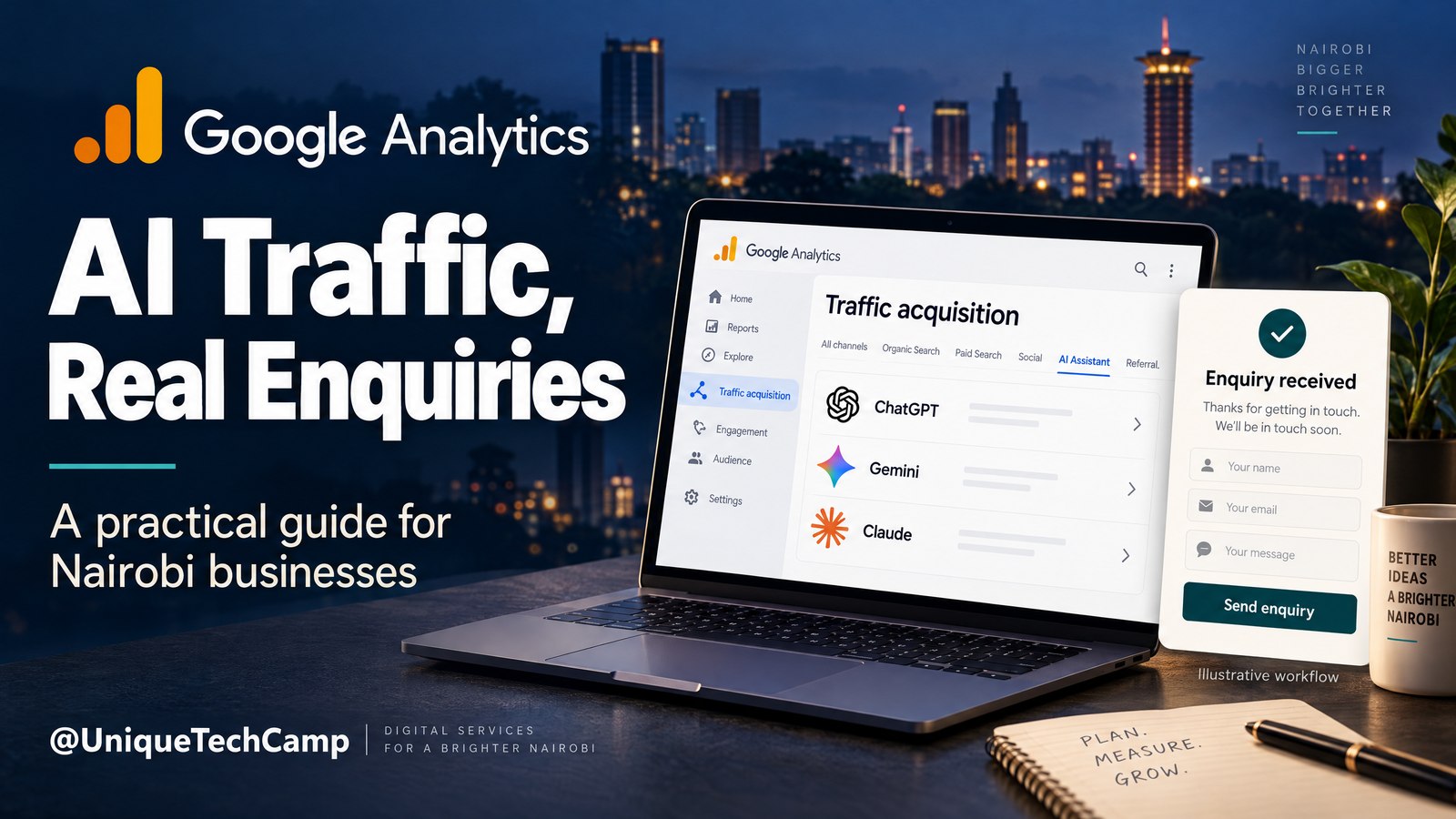
AI assistants are becoming another route by which a potential customer can reach a business website. A person may ask ChatGPT, Gemini, Claude, Copilot or another assistant for a recommendation, open a cited link, read a service page and then submit an enquiry. If that visit arrives with a referrer that Google recognises, Google Analytics 4 can now separate it from other acquisition traffic.
That is useful, but it needs careful interpretation. The official release was on 13 May 2026, so this is not a new launch this week. It measures a defined slice: recognised AI Assistant referral sessions that reach your site, not every mention, prompt or hidden-referrer visit.
This guide explains how to use that slice to investigate enquiries rather than celebrate a traffic number. The aim is to isolate AI Assistant sessions, inspect the pages they land on, confirm that an enquiry event is sent, and pass a clear qualification signal to the people responsible for sales. Start with one service page and one enquiry action, so the team can test the reporting before changing its wider marketing plan.
The customer problem: an AI referral is not yet a customer
A Kenyan business owner may hear that AI assistants are sending visitors and immediately ask three questions: Which assistant sent them? Which page did they view? Did anyone submit a useful enquiry? A normal acquisition report can make those questions hard to answer because referrals, organic search, direct visits and campaign traffic sit in different reporting views and use different scopes.
Imagine a Nairobi office-fitout firm with pages for workplace design, partitions and commercial renovations. Its useful question is: among recognised AI Assistant sessions, which landing pages led to submitted enquiries that met its project criteria after staff review?
What GA4 measures—and what it does not
Google’s release notes say GA4 added a dedicated AI Assistant channel to Default Channel Group reports. Google says the channel identifies traffic from popular assistants and sets Medium to ai-assistant and Campaign to (ai-assistant) when the referrer matches a recognised AI Assistant. The release is documented in Google’s 13 May 2026 Analytics update .
The current rules are more precise than the phrase “AI traffic” suggests. In Google’s Default channel group documentation , AI Assistant is defined through a recognised referrer and examples include ChatGPT, Gemini, DeepSeek, Copilot and Grok. The same documentation explicitly excludes Google AI Overviews and Google AI Mode. Those Google search experiences are not a separate AI Assistant channel in this rule set; their traffic is classified under Organic Search.
The practical measurement unit is a session. A session begins with a source context, and the session-scoped dimensions describe where the user came from when that session started. In Traffic acquisition, Session default channel group can show AI Assistant, while Session source, Session medium and Session campaign help you inspect the source details. Session medium is ai-assistant, and Session campaign is (ai-assistant) when Google’s recognised-referrer rule applies.
A session report does not mean every event in the session was caused by AI. It also does not mean the assistant’s recommendation was the first touchpoint in the person’s decision. Event-scoped source dimensions and attribution reports use the property’s selected attribution model, while session-scoped acquisition reporting has its own session-start interpretation. Google’s scope documentation explains why session and event dimensions should not be mixed casually.
GA4 also does not infer that a lead is qualified. It can receive an event when a form is submitted, and you can mark that event as a key event. It cannot natively decide that a project fits your service area, has a realistic budget, includes a genuine phone number or has been accepted by your sales team. Those checks belong in the form design, a CRM, a lead register or a staff process. Google’s key-event guidance provides the measurement foundation; your business must define what a qualified enquiry means.
Finally, this is not a full view of AI influence. A copied link can lose its referrer. A privacy setting can limit information. A person can see a mention and later type your address into a browser. A crawler may never create a normal customer session. An unrecognised assistant may need a separately labelled custom channel group, and custom rules should not be mixed into the native Default Channel Group totals without explanation. An independent Clique Studios analysis also reports that the native channel was not retroactive during its observed rollout and that some visits can remain Referral or Direct. Treat those points as independent practical context, not as Google’s formal definition.
A seven-step workflow for AI Assistant enquiry measurement
1. Define the business question and the qualification rule
Start with one decision, not a dashboard. For the Nairobi office-fitout firm, the decision might be whether to improve a service page or investigate follow-up quality. Write down the population and outcome before opening a report: recognised AI Assistant sessions during a stated date range, submitted enquiries from those sessions, and enquiries accepted as qualified by staff.
Define “qualified” in operational language. It might require a project in Nairobi or a covered service area, an office or commercial fit-out need, a usable contact route and enough information for a callback. It might also require that a member of staff accepts the record after checking it. Keep this definition stable for the comparison period. If qualification changes halfway through the month, the numbers become difficult to interpret.
Do not promise that this design will reveal revenue or prove causation. It creates a clean handoff from acquisition evidence to business review. Record the time window, property, landing-page scope and qualification rule beside any result.
2. Open the correct Traffic acquisition report
In GA4, go to Reports, then Acquisition, then Traffic acquisition. Use the session-scoped dimension Session default channel group and filter it to AI Assistant. This is the central classification for the native workflow. Do not begin with an event-scoped channel dimension and call it a session report.
Add or inspect Session source and, where useful, Session source / medium. Keep the dimensions labelled so a colleague can tell whether a row is session-scoped or event-scoped. Add landing page, sessions, engagement measures and the enquiry key-event metric that your property uses. The exact interface can vary as reports are customised, so document the report name and selected dimension when you hand it over.
The purpose of this first view is separation. It lets you compare the AI Assistant slice with other session channels without claiming that every AI-originated influence appears there. If the slice is empty, that may mean there was no matching traffic, the property has not received a recognised referral, the date range is wrong or the report has been configured with a different scope.
3. Inspect landing pages and assistant sources
Once AI Assistant is isolated, break the sessions down by landing page. Look for the page the visitor first reached, not merely the page that later received an event. A service-specific page may answer a high-intent question more directly than a general homepage, while a blog page may attract research traffic that needs a different follow-up path.
Then compare the available Session source values. The source label is useful for grouping assistant referrals, but it is not a transcript of the user’s prompt. It does not tell you why the person clicked or whether the assistant’s answer was accurate. Use it to prioritise page review and controlled testing, not to infer exact prompts.
For the office-fitout example, create a simple review table outside the report with landing page, sessions, enquiry key events, and staff-reviewed qualified enquiries. Do not insert made-up rates or outcomes. If the sample is small, say so. A handful of sessions can be directionally interesting without being a reliable basis for a conversion claim.
If your team needs a second pair of eyes on this narrow reporting setup, UniqueTechCamp’s AI Solutions Desk can help document the property scope, event test and staff handoff without turning a referral count into a business promise.
4. Confirm the enquiry event on the actual website
A report is only as good as the event sent by the site. Submit the form yourself in a test environment or with a clearly identified test record, then verify that the expected event appears. Google’s key-event guidance uses a specific form-submission event pattern, such as lead_form_submit; use your property’s documented event name rather than assuming every form is tracked automatically.
Check the event name, timestamp, page location and any permitted non-sensitive parameters. Confirm that one successful submission creates one event, that validation errors do not create false submissions, and that a failed network request does not look like a completed enquiry. Test the thank-you state or server-confirmed response rather than firing the event on a button click alone.
Do not send unnecessary personal or sensitive information to analytics. A test should establish that the action was measured, not that a name, phone number or message body has been copied into an analytics parameter. Keep customer identity and qualification details in the appropriate operational system.
5. Mark and report the useful key event
If the form event represents the business action you want to compare, mark it as a key event according to your property’s current GA4 configuration. Use a name that staff understand, and record whether it means “submitted” or “accepted as qualified.” Those are different stages and should not be presented as one outcome.
A practical design is to use GA4 for the submitted-enquiry signal and a CRM or controlled lead register for qualification. The website can create a lead record with statuses such as New, Needs review, Qualified or Closed, while staff record the decision reason. GA4 shows acquisition context; the operational system holds the human assessment.
This separation prevents a common mistake: treating all key events in an AI Assistant session as automatically caused by AI or automatically qualified. The channel classification describes the session’s recognised referral context. It does not perform CRM qualification or establish that the assistant caused every later event.
6. Compare session and attribution views without mixing them
Use the session view to answer, “How did this session start?” Use event-scoped attribution views to answer, “How is credit for this key event assigned under the selected model?” Google’s attribution documentation explains that attribution assigns credit among touchpoints on the path to a key event.
Reconcile the submitted record with the CRM or lead register. Check whether staff reached the person, whether the project fit the service, whether a quote was requested and whether the record eventually closed. Closed revenue is an operational outcome, not an automatic promise from the analytics channel. This is where UniqueTechCamp’s AI measurement support can help a team document the handoff between analytics, website events and follow-up.
7. Test, annotate and review before making a change
Separate the event test from the referral test. A direct visit can test submission measurement but does not prove AI Assistant classification. Where available, open a genuine link from a supported assistant, then check the landing page, session source, event receipt and lead-register handoff. Do not manufacture an AI medium just to populate the report. If the native channel is unavailable for a historical period, annotate the gap rather than backfilling a claim.
Keep the default channel group separate from any custom channel group created for assistants that Google does not currently recognise. Label the custom definition, date it, and explain that its totals are not directly equivalent to the native AI Assistant channel. This makes future comparisons more honest.
Measurement, cost and availability
Standard Google Analytics is presented by Google as free of charge. The capability is described as a Google Analytics property feature, not as a separately priced AI Assistant add-on. Google’s Analytics page presents standard Analytics as free, while Google Analytics 360 describes the paid enterprise tier with capabilities such as larger scale, data freshness, unsampled results and enterprise support.
That does not mean every property has identical limits or instant access to every report arrangement. A property needs a correctly configured data stream and enough traffic for a useful comparison. The reviewed AI Assistant documentation does not label the channel as 360-only; it does not establish identical availability for every country or account. Setup, testing and staff review still take time, even when the software has no subscription charge.
Frequently asked questions
Is the AI Assistant channel a new Google Analytics launch this week?
No. Google’s official release date is 13 May 2026. It is a documented GA4 capability that can be used as part of an ongoing measurement setup, not a new update that should be framed as having launched this week.
Does AI Assistant traffic include Google AI Overviews and AI Mode?
No. Google’s current Default channel group documentation explicitly excludes Google AI Overviews and AI Mode from the AI Assistant channel. Their traffic is classified under Organic Search. The native channel is based on a recognised referrer, so it does not measure an unclicked mention or a hidden referrer.
Does GA4 know whether an AI-referred enquiry is qualified?
No. GA4 can measure a submitted form event and mark it as a key event, but qualification belongs to your site process, CRM or lead register. Define the criteria, record the staff decision and keep submitted enquiries separate from accepted or closed outcomes.
Do I need Analytics 360 or a special AI add-on?
The reviewed Google documentation does not describe the AI Assistant channel as 360-only or as a separately priced add-on. Standard Google Analytics is presented as free of charge. 360 can be relevant for enterprise scale and support, but it should be evaluated for those broader needs rather than assumed to be required for this channel.
Conclusion
GA4’s AI Assistant classification gives a Kenyan business a more specific place to inspect recognised assistant referrals. The reliable path is modest: filter Traffic acquisition to Session default channel group = AI Assistant, inspect source and landing page, test a server-confirmed enquiry event, and send qualification decisions through the staff or CRM process that owns them.
Use the result as a contribution signal, not a visibility score or earnings promise. It will not reveal every assistant mention, exact prompt, hidden referrer or Google AI search interaction. It can, however, make one part of the customer path easier to investigate and improve. If your website, forms, analytics and follow-up process need to agree on one measurable enquiry path, review the relevant Google Analytics service .
Need this built for your business?
If you own or run a business, bring one service page and one enquiry action to UniqueTechCamp’s AI Solutions Desk . Request a consultation through appointments and review the matching Google Analytics service . Ask for a scoped report setup, event test and staff handoff—not a promise of revenue.
Deploy An Autonomous AI Lead Gen System Today
We engineer high-converting web applications with integrated 24/7 WhatsApp qualification bots and multi-channel follow-up drips.
Related Strategy Articles

Gemini Small-Business Tools: A Safe Growth Pilot for Kenyan SMEs
Google's Gemini business page brings brand, finance and app tools together. A cautious pilot for Kenyan SMEs, with privacy and review checks.
Google Docs Captions and Cross-References for Kenyan SMEs
Use Google Docs captions, cross-references and caption tables to keep Kenyan SME reports and tender documents easier to navigate after edits.

ChatGPT for Sales: A Human-Reviewed CRM Pilot for Kenyan SMEs
OpenAI's new ChatGPT for Sales adds sales workflows. Learn how Kenyan SMEs can pilot CRM connections with human review, privacy checks and clear measures.

UniqueTechCamp Desk
Online • Reply < 5 mins