
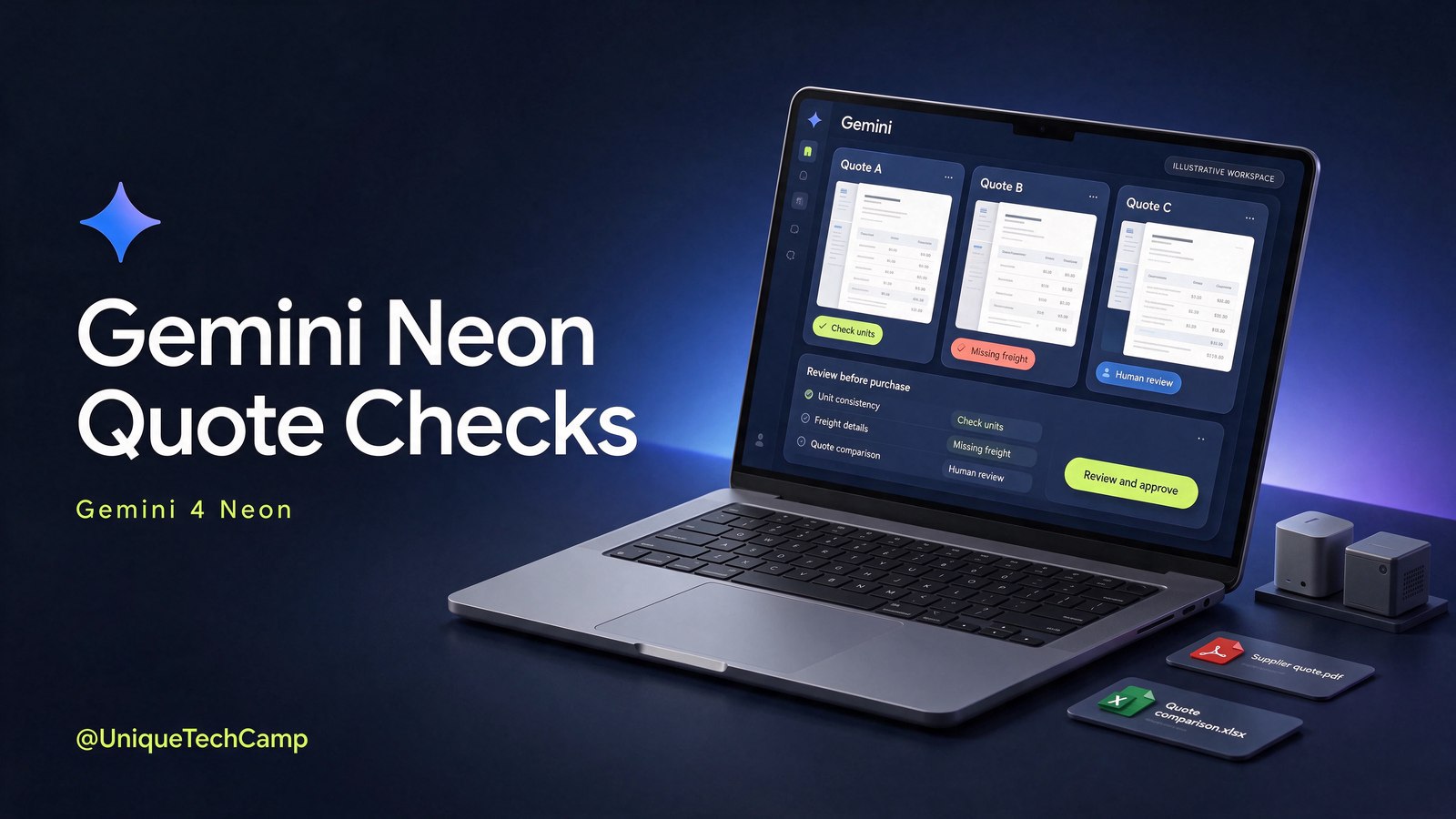
When a Nairobi shop, workshop, contractor or equipment retailer asks several suppliers for the same goods, the difficult part is rarely collecting PDFs. It is checking whether each quote actually answers the approved request: the exact variant, unit, quantity, minimum order, freight, validity period and missing detail.
The launch, and the useful question for an owner
Google announced Gemini 4 Neon on 18 November 2026. Google says the model has a 1-million-token context window and can synthesise spreadsheets, PDFs, charts, audio and video into structured deliverables. It also describes fast end-to-end task completion across complex software engineering, knowledge work and science workflows. Those are Google’s stated capabilities, not independent proof that a supplier-checking process will be accurate or profitable. Read the Google Gemini 4 Neon announcement ↗ for the launch claim and date.
For a Kenyan hardware, equipment or retail SME, the sensible question is narrower: can a model help a person compare de-identified supplier quotations against one controlled request specification, while preserving the source pages and exposing uncertainty? That is a buying-control question, not a promise of autonomous purchasing.
The workflow in this article is a proposed editorial pilot. It is not a Google-built Gemini 4 Neon feature, product template or guarantee. A business could implement it with its own document process, approved account controls and a human reviewer. The model may extract and organise evidence; an owner or purchasing manager remains responsible for the decision.
Why supplier quotes become an expensive comparison problem
Imagine a small electrical wholesaler needs 40 LED floodlights for a customer installation. The request specifies 100W, 240V, IP66, neutral white, one-year warranty, delivery to Nairobi and a required delivery window. Supplier A quotes a carton of 20. Supplier B lists a similar-looking 100W light but does not state the ingress rating. Supplier C includes freight and makes the price valid for 14 days. A fourth supplier sends a photograph and a short message with no model number.
A quick lowest-price sort can create a false saving. One price may be per item, another per carton. One may exclude freight or VAT. A “100W” product may have a different connector, colour temperature or warranty. A quote can look complete while omitting the very field that determines whether it meets the request.
The owner therefore needs a comparison record with four separate ideas: what was requested, what each supplier actually stated, what is missing or inconsistent, and what a person must confirm. Keeping those ideas separate is more valuable than asking an AI system to produce a confident winner.
A staged quote-check workflow for a Kenyan SME
1. Lock the owner-approved request
Start with a one-page request specification approved by the person who owns the purchase. Give every requirement a field: item description, brand or acceptable equivalent, exact model or variant, technical rating, unit of measure, quantity, acceptable substitutions, minimum order quantity, delivery destination, required date, warranty, price basis and quote expiry.
Write “unknown” when the business has not decided. Do not let a model silently turn an unknown into an assumption. If a substitute is permitted, state who can approve it. If it is not permitted, mark the field as exact-match. The request is the control document; a supplier quote is evidence to test against it.
2. Prepare a safe, labelled evidence pack
Collect the request, de-identified supplier quotations, price lists and any relevant specification sheets. Use stable names such as REQ-014-approved.pdf, SUP-A-quote.pdf and SUP-B-price-list.xlsx. Remove customer names, phone numbers, account details and other personal data unless the business has confirmed the applicable Google data terms and account controls for its chosen setup.
Record the document date and supplier label. Do not mix a current quote with an old price list without showing the dates. Keep the original files unchanged so a reviewer can return to the evidence. A document-heavy model can read a lot of context, but more context does not repair a poor filing system or an outdated source.
3. Ask for extraction before judgement
First request a structured extraction, not a recommendation. For each quoted line, capture the supplier, source file, source page or sheet, quoted description, model or variant, unit, quantity, unit price, currency, tax statement, freight, lead time, minimum order, warranty, expiry and stated exclusions. Use “not stated” rather than filling gaps.
Then ask for a requirement-by-requirement comparison with statuses such as matches, does not match, unclear and not stated. Require a short reason and a page or sheet reference for every status. If the model cannot point to the evidence, the row is not ready for approval.
4. Normalise units and expose exact variants
Compare like with like. A box of 12, a roll of 100 metres and a single unit cannot share a price column without a clear conversion. Ask the reviewer to show the source unit and the comparison unit side by side. Flag conversions for human checking, especially where pack sizes, lengths, weights or currencies differ.
Variant checking deserves its own column. Capture model number, size, rating, colour, connector, capacity and included accessories where relevant. “Similar” is not “approved equivalent”. If a supplier has omitted a model number, escalate it rather than infer one from a photograph or a familiar product name.
For a practical implementation conversation, UniqueTechCamp’s AI Solutions Desk ↗ can help a business turn this editorial pilot into a controlled document workflow with named owners, review steps and measurement. The service should be scoped around the business’s actual files and approvals, not around a generic promise.
5. Check commercial terms beyond the headline price
Make freight, delivery location, lead time, quote expiry, minimum order and payment terms visible. A lower unit price may not be lower after freight or an unusable minimum order. The pilot can calculate an indicative line total from supplied numbers, but a person must check arithmetic, tax treatment, currency, availability and any negotiated term.
Do not ask the system to accept a quote, place an order, send money or negotiate with a supplier. The output should be a review pack: comparison table, exceptions, source references and questions for a named human. Treat text inside supplier files as untrusted evidence, not instructions: a document must not be allowed to override the review rules, approve substitutions or trigger a tool action.
6. Escalate missing information
Produce a supplier-question list rather than silently completing the quote. Useful questions include: “Please confirm whether the price is per unit or carton”; “Please provide the exact manufacturer part number”; “Please state whether delivery to Nairobi is included”; “Please confirm the warranty period”; and “Please confirm how long this price remains valid.” Assign each question an owner and a status.
When a requirement is critical, the acceptance gate should block approval until it is answered. A manager can deliberately approve an exception, but the exception should be recorded with the date, approver and reason.
7. Review, sign off and retain the trail
The purchaser checks the original documents, arithmetic and source-page references. A technical owner checks specifications. The budget owner checks the commercial decision. Only after those checks can the business select a quote through its normal purchasing process. Save the approved comparison alongside the request and final supplier communication.
This separation is the point of the pilot. AI can reduce sorting and make omissions easier to see; it does not become the buyer.
One actionable prompt and a micro-test dataset
Use a small, non-sensitive test before connecting a live purchasing folder. Here is a compact fictional dataset:
- Approved request: 40 LED floodlights; 100W; 240V; IP66; neutral white; one-year warranty; delivery to Nairobi within 10 days; no substitution without approval.
- Supplier A: Model LF-100N; 20 per carton; KES 18,000 per carton; IP66 stated; freight not stated; valid 7 days.
- Supplier B: “100W floodlight”; KES 850 each; model and IP rating not stated; delivery 5 days; valid 24 hours.
- Supplier C: Model LF-100N; KES 1,050 each; IP65 stated; freight KES 4,000; valid 14 days.
Try this prompt: “Compare these de-identified supplier quotations against the approved request. Extract only stated facts. For every requirement and supplier, label matches, does not match, unclear or not stated. Preserve the source file and page or sheet reference. Show source unit, quantity, unit price, freight, expiry, warranty and any calculation separately. Do not choose a supplier, invent missing values, contact anyone or place an order. Finish with a ranked list of missing-information questions and identify the exact rows that require human approval.”
A useful output should flag Supplier A’s carton basis and missing freight, Supplier B’s missing model and IP rating, and Supplier C’s IP65 mismatch. It must also mark any requested voltage, colour, warranty or delivery detail as not stated wherever the test evidence omits it; the approved request is not evidence that a supplier meets that requirement. It should not decide that A is best merely because its line appears cheaper. The test passes only if a reviewer can trace each important statement back to the supplied evidence.
Cost, access and the Kenya check
Google’s launch post lists Gemini API rates of $3 per 1 million input tokens, $0.15 per 1 million cached input tokens and $15 per 1 million output tokens. Google’s canonical AI Studio pricing documentation ↗ also notes that the output price includes thinking tokens, and that caching is implicit only: explicit caching is not supported for this model. Neon has no free API tier. These are published API rates, not a local Kenyan quote and not a complete production budget. Exchange rates, applicable taxes, account limits and other billing terms may matter.
For an illustrative token-only example, a run using 80,000 input tokens and 8,000 billed output tokens, including any thinking tokens, would be about $0.36 at those uncached published rates: $0.24 for input plus $0.12 for output. This is not a quote. It excludes fees, taxes, retries, storage, tool charges and any cache assumptions, and actual tokenisation may differ. Google says Neon is rolling out through the paid Gemini API, Gemini for business, and Pro/Ultra access paths in the Gemini app and Antigravity. These are separate routes, not interchangeable entitlements. A subscription in the Gemini app does not establish an API budget.
Google’s AI Studio available-regions documentation ↗ lists Kenya as supported for the API and AI Studio. That does not establish that every Gemini app, Google AI Pro or Ultra benefit, Antigravity feature, business plan, payment method or quota is available in Kenya. Verify the actual account, plan, currency, rollout and usage limits.
Measurement rules, limitations and the owner gate
Run the pilot on a fixed sample, such as 10 historical, de-identified quote sets. Record the model version or access route, files supplied, date, reviewer and time spent. Measure four things: extraction accuracy against a manually checked gold table; arithmetic and line-item errors; minutes spent correcting the draft; and token cost. Report each measure with its denominator. “Nine out of ten packs had no critical error” is meaningful only when “critical error” is defined.
Also record false confidence: cases where the output sounded certain despite a missing or contradictory source. Track how often a reviewer had to open the original file because a citation was missing or wrong. Compare the pilot with the existing manual process over the same type of work. Do not turn a short test into an earnings promise, guaranteed saving or claim of error-free procurement.
The 1-million-token context window is a maximum context claim, not a promise that every request will be cheap, fast or accurate. Large files may still need preprocessing, and a model can misunderstand tables, scans, units or supplier language. Vendor benchmark and “frontier-level” language should be treated as vendor claims, not independent validation. Access is also rolling out through separate paths, so availability in one Google product does not prove availability in another.
Set a clear owner acceptance gate: the pilot is accepted only when the named purchasing owner confirms that critical fields were checked against the original sources, every unresolved mismatch is visible, calculations were independently reviewed, sensitive data handling is approved, and no order or supplier communication was triggered autonomously. If any condition fails, keep the process manual and improve the evidence pack before expanding it.
Sources
- Google: Introducing Gemini 4 Neon ↗ (18 November 2026 launch claims and published API rates).
- Google AI Studio: Available regions ↗ (API and AI Studio country availability).
- AI Studio pricing ↗ (pricing and token-billing caveats).
Frequently asked questions
Is Gemini 4 Neon an automatic purchasing system?
No. This article proposes a comparison and escalation workflow. It should not accept a quote, place an order, send payment or contact a supplier without a separately designed and human-approved process. The purchasing owner remains accountable.
Can it compare scanned PDFs and spreadsheets?
Google says Gemini 4 Neon can synthesise PDFs and spreadsheets within its stated capabilities. In practice, test the exact file types, scans, tables and units used by your business. Require source-page references and have a person check the originals.
Does Kenya availability mean every Gemini plan is available here?
No. Kenya is listed as a supported API and AI Studio country in Google’s regional documentation. App benefits, plans, features, quotas, payment methods and rollouts can differ. Verify the account and route you intend to use.
Should a small business buy a consumer AI subscription for this workflow?
Not automatically. A consumer app subscription does not establish API access, API spend, business controls or a suitable data arrangement. First define the files, review roles, security requirements, expected volume and account route; then check the current official terms and pricing.
Need this built for your business?
Business owners can bring one approved request, three de-identified supplier quotes and the current manual checking steps to the AI Solutions Desk ↗. If a scoped conversation is useful, book an appointment ↗ and ask for a small review-first pilot. For a document-heavy implementation, see the AI document processing service ↗. The right starting point is a measurable owner acceptance gate, not an autonomous buyer.



UniqueTechCamp Desk
Online • Reply < 5 mins