
Figma 3D and AI: A Kenyan SME Launch-Asset Workflow
A practical Kenyan SME workflow for Figma 3D transforms and AI: arrange editable brand assets, animate a launch asset, and hand off code-ready context.
UniqueTechCamp Editorial
Digital Services Team • UniqueTechCamp Engineering Unit
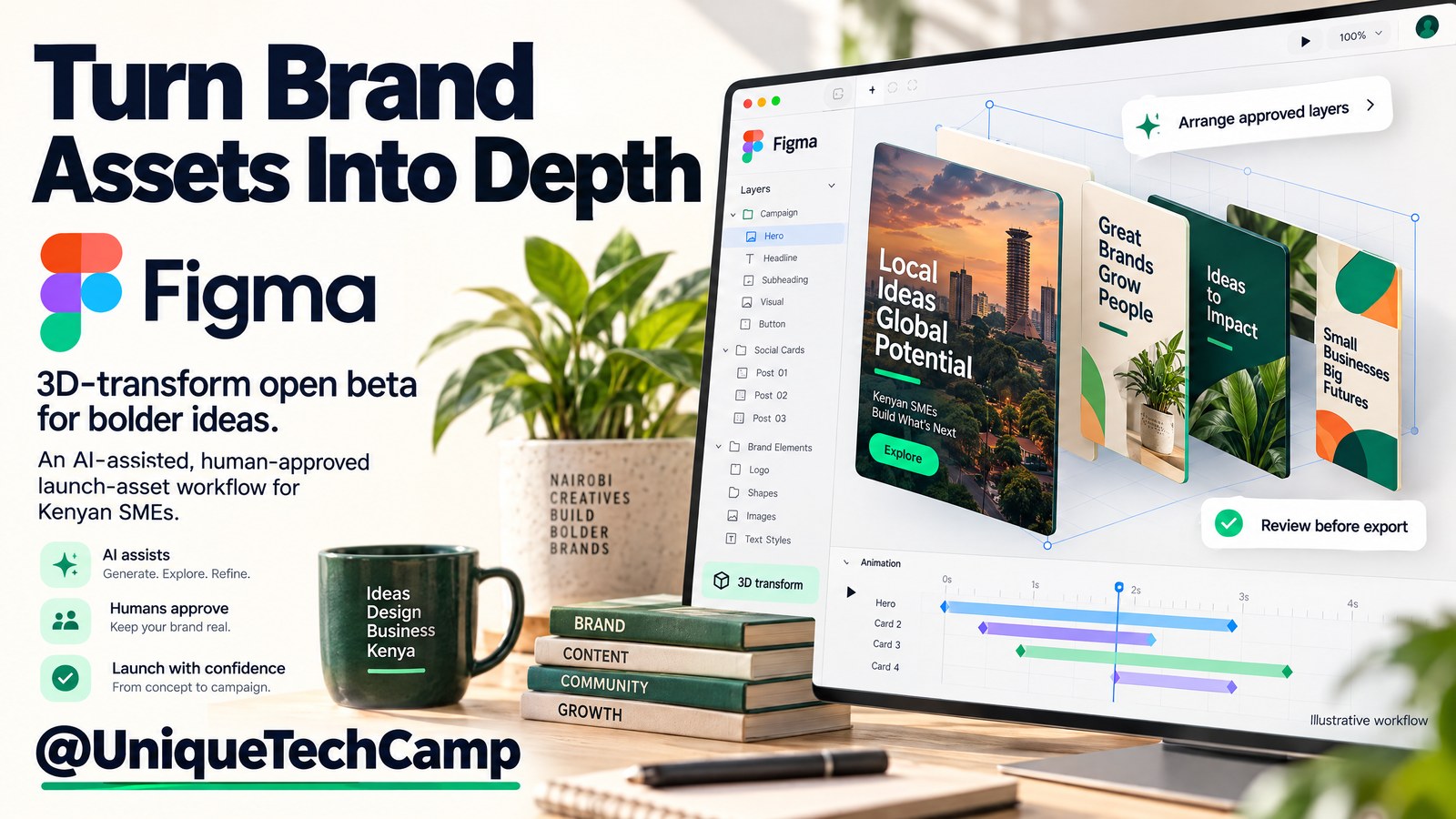
A logo may be supplied as a flat image, a promotion may exist in several inconsistent sizes, and a developer may receive screenshots without the spacing, type styles or responsive intent behind them. The result is familiar to a Kenyan small or medium-sized enterprise (SME): late changes, duplicated production work and a launch asset that is visually interesting but awkward to implement.
Figma’s new 3D transform effect offers a more practical starting point. Announced in Figma’s release notes on 12 November 2026, it is an open beta for rotating editable objects on the X, Y and Z axes, adjusting depth and perspective, and previewing the result on canvas. It sits alongside the already generally available Figma agent, which can help compose or edit a design from a prompt. Used carefully, the combination can turn approved brand assets into a repeatable spatial composition, a short launch animation and a more inspectable handoff.
This is not a guide to generating fake product photography. It is not a promise that an agent will publish your website. The useful output is an editable brand composition for one launch moment, followed by human review and an implementation brief. Here is how a small team can test that workflow without confusing a design beta with a finished production system.
What changed on 12 November 2026—and what did not
Figma’s official release notes describe 3D transform as native in Figma Design. Objects can be rotated around three axes with on-canvas handles and live previews; teams can adjust perspective and depth; and Figma Motion can animate flips, turns and perspective shifts. The same release notes point to CSS copying from Dev Mode and design-to-code work through Figma MCP.
The companion Figma case study is useful evidence of a workflow, not a guaranteed business result. Figma’s Brand Studio used editable text, images, vectors, frames and components, then used the agent to space typography along the Z axis and create a plugin that arranged assets as grids, helixes, rings or randomised scatters. The agent itself is not new in this announcement: Figma documents it as generally available in eligible design-file contexts. What has not changed is the need for a design owner. It is not CAD and it does not create a physical product model.
Access, pricing and practical limits
Figma states that 3D transform is available on all plans, but the person editing it needs a Full seat and edit access to the file. That is different from simply being able to view or comment. The 3D effects guidance also explains that a parent frame can keep nested layers in shared 3D space. Turning on “Keep nested layers 3D” has trade-offs: some parent properties, including opacity, blend modes, shaders or other effects, clip content, and visible fills or strokes, become unavailable. “Turn into flat plane” ends that shared 3D space.
The agent is available in design files on Starter, Professional, Education (not K–12), Organization and Enterprise plans. Full-seat users with edit access can ask it to make edits; View, Dev and Collab users can chat without editing, while anyone can edit Draft files. Some agent features, such as web search, require a paid plan. The agent help page is the safer reference for permissions than assuming that a collaborator’s role includes every action.
The public Figma pricing page lists Starter as free with 500 AI credits per month, subject to a 150 AI credits per day limit. Professional costs US$16 per Full seat/month, billed annually or US$20 per Full seat/month, billed monthly, with 3,000 AI credits per month. Organization costs US$55 per Full seat/month, billed annually with 3,500 AI credits per month; Enterprise costs US$90 per Full seat/month, billed annually with 4,250 AI credits per month. Select the billing period before comparing costs. Availability of the 3D effect does not unlock every advanced Dev Mode or MCP capability; check the plan and permissions for the handoff you intend to use.
The AI-credit guidance explains that agentic usage varies with model, task complexity and attached context; its examples are roughly 30+ credits for a simple Figma Make font change, 75+ credits for making a design interactive, and 100+ credits for generating an app. These are approximate examples, not a quote for this workflow. The additional-credit controls allow pooled subscriptions or pay-as-you-go with an admin-set monthly spending limit; the current pay-as-you-go price is US$0.03 per AI credit. Subscription credits reset monthly and do not roll over. Budget for the plan seat, variable AI usage, and human production and testing time as separate lines.
Figma’s supported billing currencies include USD, GBP, CAD, EUR and JPY, but not KES. A Kenyan customer should therefore check the account’s checkout, payment-provider conversion and any applicable taxes rather than assuming KES checkout or Kenya availability. The official material reviewed here documents eligibility by plan, seat and system requirements, not a Kenya-specific guarantee.
Figma Motion is also open beta; the animation-export guidance documents MP4, WebM, GIF and SVG. Above 1920×1080 or 30 FPS is restricted to paid plans; this is an export boundary, not an AI-credit entitlement. Review fast motion and provide a still or low-motion alternative as editorial practice, not as a claimed Figma accessibility feature.
An eight-step pilot workflow for a Kenyan SME
The workflow below is deliberately narrow: one launch asset, one approved brand kit and one destination that a developer can implement. It avoids asking the agent to invent a brand or to make a production promise it cannot keep.
1. Define the launch job and acceptance criteria
Choose the customer action the asset should support: for example, visit a campaign page, request a quotation, start a WhatsApp enquiry or book a consultation. Record the launch date, audience, offer wording, required disclaimer, destination URL and owner who approves the final design. Define acceptance criteria before opening the 3D canvas: approved logo use, readable type at mobile size, a static fallback, a short motion duration, export formats and a handoff package. This keeps visual experimentation connected to a real customer journey without claiming that the asset alone will create enquiries.
2. Prepare approved, editable source assets
Create a clean Figma file containing the approved logo, colour styles, type styles, product or service cards, icons, screenshots and campaign copy. Keep text as text, vectors as vectors and images as replaceable image layers. Remove obsolete marks and label the source of any customer-provided photograph. Do not ask the agent to fabricate a product view where the business needs an accurate representation. Add a small “do not alter” section for legal copy, prices, partner marks and contact details, then give the editor a Full seat with edit access.
3. Build a controlled 3D composition
Duplicate the approved frame and apply 3D transforms to a limited set of layers. Start with a shallow depth, readable front-facing text and a clear visual hierarchy. Use X, Y and Z rotation, perspective and origin-point controls to make the composition spatial, not merely tilted. If nested layers must share a 3D space, test “Keep nested layers 3D” on a duplicate first because parent opacity, blend modes, clipping and other effects may no longer be available. Preserve a flat version beside the experiment so the team can compare clarity rather than being impressed by novelty.
4. Ask the agent for arrangement, not brand invention
Use the agent to propose a repeatable layout from the prepared assets. A useful prompt names the frame, hierarchy, constraints, output and review conditions. For example:
Arrange the approved launch cards in this duplicated frame as a shallow 3D arc. Keep the logo, offer wording, price and contact details unchanged. Use the existing type and colour styles, keep the primary call to action facing the viewer, and retain editable text, vectors, components and image layers. Create two alternatives: arc and stepped depth. Do not invent product features, claims, people or packaging. Label any changed layer and leave the original frame untouched for comparison.
Treat the result as a draft. Inspect layer names, typography, contrast, cropping, brand spacing and reading order. Reject any invented claim or altered commercial detail rather than polishing it into the final file.
5. Review nested layers, motion and fallback states
Test the composition at desktop and phone-sized frames. In Figma Motion, use a restrained turn, flip or perspective shift and check the first and last frames for legibility. Decide where the motion stops, what a still image shows, and whether the animation can be understood without sound. Export a static frame and a low-motion alternative alongside the main animation. This is editorial quality control, not evidence that Figma automatically supplies a reduced-motion preference or an accessibility export mode.
6. Package the launch asset for channels
Record pixel dimensions, frame rate, duration, file type, background treatment and the source frame. Keep a flattened export for quick publishing but preserve the editable master and a version history. If the export crosses 1920×1080 or 30 FPS, check the paid-plan restriction before promising that deliverable. Have the business owner approve the wording and final asset, not only the visual direction.
7. Prepare a developer handoff, not a deployment claim
In Dev Mode, document the design intent: layer hierarchy, spacing, typography, colours, image behaviour, animation timing, fallback state and destination interaction. Copy the relevant CSS where it is useful and, if the team uses Figma MCP, send the selected design context to the coding agent. Figma’s code-layer guidance describes interactive prototypes in open beta; an import can take 10 minutes or more and may need changes to run. The developer still needs to implement the real page, connect forms or WhatsApp, handle responsive states, check performance and test on supported devices.
8. Test the customer path and record the result
Publish only through the normal website or campaign process after implementation review. Test the actual page on a phone and a slower connection: does the headline remain readable, does the motion delay the call to action, does the static fallback load, and does the button reach the intended form, WhatsApp chat or booking step? Compare with a defined baseline where possible; do not turn a successful design handoff into an unsupported conversion or revenue promise.
Asset handoff checklist
Before the file leaves the design queue, the owner and developer should be able to find:
- The editable Figma master, duplicate experiment and approved flat fallback.
- A layer map identifying editable text, vectors, components, images, 3D parent frames and locked brand or legal content.
- The exact copy, destination URL, CTA behaviour, image rights notes and approval owner.
- Static export, animated export and low-motion or still alternative with dimensions, format, duration and frame-rate notes.
- CSS or Dev Mode measurements where relevant, plus a note that copied code or an MCP/code-layer import still requires implementation and testing.
- Mobile and desktop screenshots, browser/device notes, version date and a named change owner.
How to measure the pilot—and where results stop
Measure the workflow at three levels. For a scoped implementation conversation, the UniqueTechCamp AI Solutions Desk can help translate this pilot into a defined brief. First, production: time from approved assets to first review, number of revision rounds, rejected agent changes, and whether the handoff contained the required files. Second, implementation: page load observations, layout defects, animation failures, fallback visibility and developer questions. Third, customer journey: views of the relevant page, CTA clicks, completed form starts, WhatsApp starts or bookings, using a defined period and comparison where available.
Do not use an AI-credit count as a quality score. A short prompt may require several reviews; a complex arrangement may be cheaper in credits but slower for a human to correct. Likewise, a more dramatic 3D treatment is not automatically a better launch asset. Review readability, brand consistency, customer comprehension and task completion. There are technical boundaries. Figma’s system requirements describe mobile access as view-only, so 3D editing is a desktop or browser workflow; shaders also need WebGPU and higher browser minimums. A code-layer import is not deployment: the page still needs responsive CSS, optimisation, analytics, integrations, security review and acceptance testing. Editable layers do not model physical products or verify dimensions.
Four questions owners should ask
Is Figma 3D available on a free plan?
Figma says 3D transform is available on all plans, but editing requires a Full seat and edit access. Starter is free and includes 500 AI credits per month with a 150 AI credits per day limit, so “free” does not mean unlimited AI use. Check the current plan and seat assignment before building the pilot.
Does the Figma agent automatically build and publish my website?
No. The agent can help arrange or edit a design, and Figma can provide CSS or code-layer and MCP context for a developer. The resulting code remains a prototype or handoff input that requires implementation, responsive testing, integrations and approval. Treat “ship directly to code” as a workflow direction, not a claim of automatic website publishing.
Can I use this to make a realistic product model?
Use it for editable spatial compositions of approved text, images, vectors, frames and components. It is a non-destructive design effect, not CAD or physical-product modelling. If customers need accurate product photography, dimensions or engineering evidence, use the appropriate production and technical process instead.
What should a small business budget for?
Separate the Full-seat plan cost, variable AI credits, human design review, exports, developer implementation and mobile testing. The published rates above distinguish annual and monthly commitments, but they are not a complete project quote. Confirm current checkout currency, taxes, seat needs, developer entitlements and actual AI usage before approving spend. Set an owner and spending limit for paid credits rather than letting an exploratory design session become an unreviewed cost.
Conclusion
Figma’s 12 November 2026 3D transform beta is most useful when treated as a controlled design workflow: start with approved editable assets, use the agent to explore arrangements, animate a clear launch moment, and hand developers inspectable context. Keep a flat fallback, test the customer path and measure production and implementation quality separately from commercial outcomes. That approach gives a Kenyan SME a practical experiment without confusing spatial design with product modelling, AI drafting with approval, or code handoff with a published website.
Need this built for your business?
A business owner who wants this workflow scoped around a real launch can speak with the UniqueTechCamp AI Solutions Desk , request an appointment , or review the social media graphics service for a matching production route. Bring the approved brand assets, launch date, destination action, required formats and the person who can approve copy.
Deploy An Autonomous AI Lead Gen System Today
We engineer high-converting web applications with integrated 24/7 WhatsApp qualification bots and multi-channel follow-up drips.
Related Strategy Articles

Gemini Small-Business Tools: A Safe Growth Pilot for Kenyan SMEs
Google's Gemini business page brings brand, finance and app tools together. A cautious pilot for Kenyan SMEs, with privacy and review checks.
Google Docs Captions and Cross-References for Kenyan SMEs
Use Google Docs captions, cross-references and caption tables to keep Kenyan SME reports and tender documents easier to navigate after edits.

ChatGPT for Sales: A Human-Reviewed CRM Pilot for Kenyan SMEs
OpenAI's new ChatGPT for Sales adds sales workflows. Learn how Kenyan SMEs can pilot CRM connections with human review, privacy checks and clear measures.
UniqueTechCamp Desk
Online • Reply < 5 mins