Canva AI Campaign Packs: A Brand Kit Workflow for Kenyan SMEs
Turn one approved offer into an on-brand Canva AI campaign pack. A Kenyan SME workflow covering Brand Kits, human review, costs and measurement.
UniqueTechCamp Editorial
Lead Systems Architect • UniqueTechCamp Engineering Unit
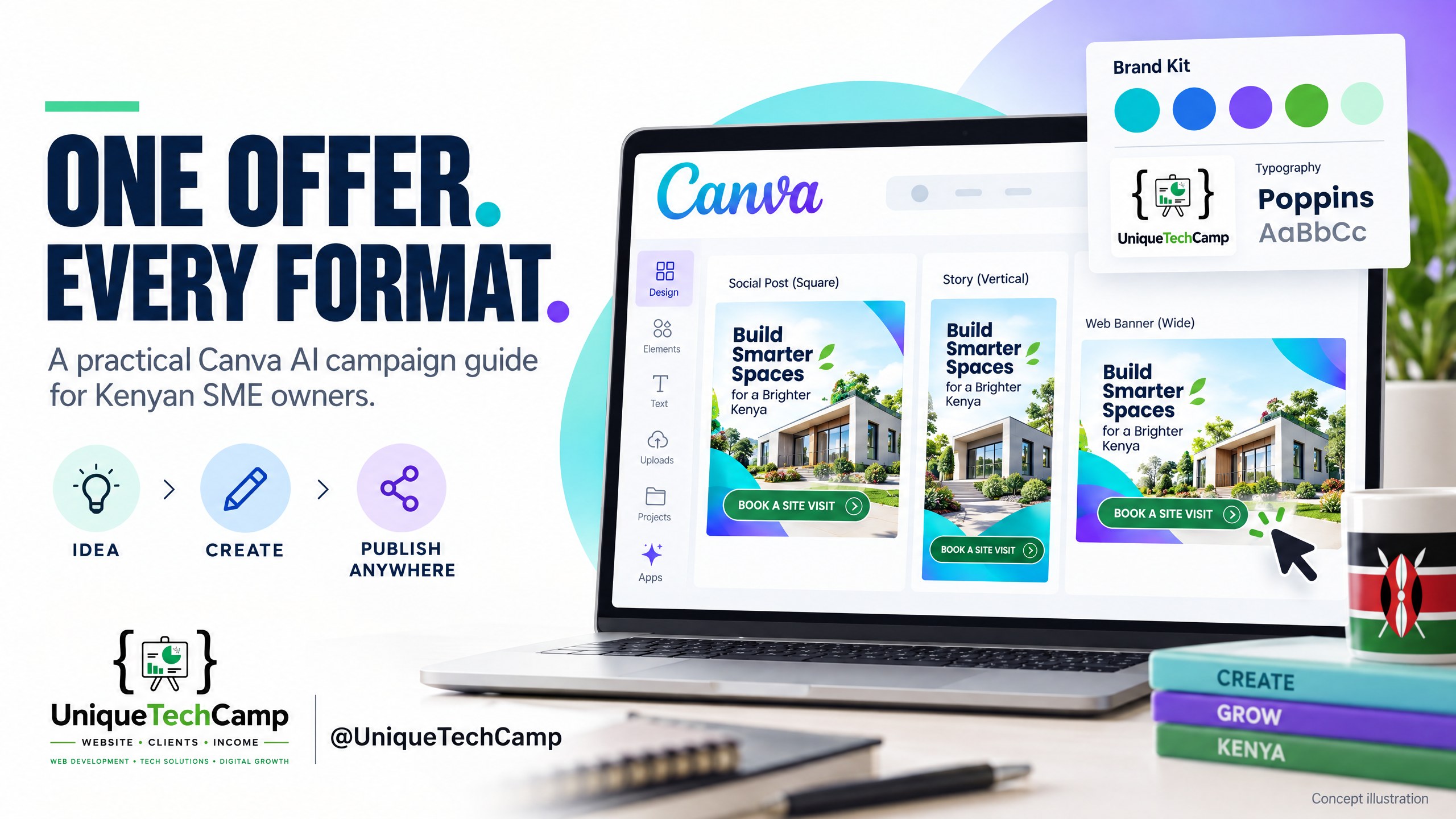
Cover concept: an illustrative campaign workspace, not an authentic Canva screenshot or a client result.
A Nairobi contractor has an approved site-visit offer, but its campaign looks like several different businesses. The Instagram graphic uses an old logo. The story leaves out the service area. A website banner sends people to a general homepage, while the sales team answers enquiries using different wording. Producing more graphics will not fix that mismatch.
The useful role for AI is narrower: help a team turn one verified brief into consistent starting designs, then make the human checks and customer handoff repeatable. Canva AI and Brand Kits can support that production process. They cannot decide whether your offer is true, whether your team can deliver it, or whether a campaign will bring profitable work.
This is a practical guide to an existing product, not a new-launch announcement. It is for business owners and small marketing teams in Kenya, East Africa and elsewhere who want a controlled campaign pack rather than a folder of disconnected AI experiments.
What Canva can support—and what to check first
Canva’s current AI guidance describes conversational design creation and refinement, including on-brand generation using a selected Brand Kit or Brand Template. Its Brand Kit documentation explains how to organise logos, colours, fonts, assets and guidelines. Think of the kit as an approved reference shelf, not a fact-checker.
Access is not uniform. Country or region, account language, subscription, administrator settings and usage limits can affect what appears. Canva’s administrator controls guidance also distinguishes existing Teams subscriptions from plans available to new subscribers. Do not promise a client that a feature works merely because it appeared in a demonstration.
Before accepting a production deadline, open the actual business account. Test a small design, the required brand assets, resizing, export and the intended approval route. If a feature is unavailable, a manually adapted approved template is a valid fallback. The commercial goal is a dependable pack, not using every AI feature.
An eight-step workflow from approved offer to campaign pack
- Write a source-of-truth brief before prompting. Name the audience, service or product, service area, valid dates, exclusions, approved contact route and one primary customer action. For the contractor example, that action might be requesting a site visit—not paying a deposit or receiving an automatic quotation. Assign a named owner to verify each commercial fact. Keep the approved brief beside the designs, with a version and approval date. If prices are included, copy the complete currency, amount and unit from the approved source; do not ask AI to estimate or improve them.
- Prepare the smallest useful Brand Kit. Upload the current logo, approved colour values, fonts and genuine business photographs or licensed assets. Include a short voice guide with acceptable wording and phrases to avoid. Check that the logo remains readable on light and dark backgrounds. A kit imported from a website or PDF still needs inspection: an outdated website can import outdated branding. Keep different clients’ kits separate. Remove superseded logos from the working pack so that a hurried colleague does not choose the wrong version.
- Generate one master, not a whole campaign at once. Start with the channel that carries the clearest message, such as a square social graphic. Select the correct kit and give Canva the approved copy, intended audience, required visual and call to action. A useful instruction is: “Create a starting layout from this approved brief. Preserve the offer wording, dates and contact details. Do not invent discounts, testimonials, qualifications or results. Use our selected brand assets.” Inspect the first draft before requesting variations. A polished layout is not evidence that the text is correct.
- Review facts, visual truth and the customer promise. Compare every statement against the brief, including small text, phone numbers and service coverage. Check that imagery does not imply equipment, premises, products or completed projects the business does not have. Read the design on a normal phone, not only a large monitor. Ask a colleague to explain the offer without coaching. If the meaning is unclear, shorten or restructure the message before resizing. Record the approved master and its version; do not silently replace it with a later AI revision.
- Adapt the master into a deliberately small pack. Choose formats you will actually use: perhaps a square post, vertical story, WhatsApp-friendly image and website banner. Canva’s resizing documentation describes Magic Resize and plan-dependent access. Treat resizing as a production aid, not an approval. Recheck text wrapping, logo clearance, cropping, button-like graphics and the offer’s small print in every output. A UniqueTechCamp AI workflow review can help connect the approved creative pack to the enquiry route and a named human handoff, rather than leaving the work at attractive graphics.
- Connect each asset to a working destination. Test the exact landing page, form or contact route from a phone. Confirm that the destination repeats the same offer and explains what happens next. Use a channel-specific campaign link where appropriate, and keep its meaning consistent in your reporting. Where a graphic cannot carry a clickable link, make the accompanying post text or profile route clear. Supply descriptive alternative text and readable supporting copy where the publishing channel permits. Do not rely on tiny text embedded in an image to explain essential conditions.
- Make approval a visible gate. Record who approves commercial facts, design and publication. Canva’s Brand Controls guidance describes controls for supported team plans, while its design approval documentation explains the approval workflow and plan differences. Confirm the control is actually enabled. A solo operator without those team controls can use a shared approval register and a clearly marked final folder. After a material edit or resize, reopen the relevant check. “Approved” should identify a specific file version, not an entire folder indefinitely.
- Publish, test and hand over the live pack. Keep an asset register with the channel, size, version, approver, approval time, publication owner and live location. Open the published placement and follow the customer route once more. Give the response team the same approved offer, coverage and escalation notes. Keep the editable master, final exports and original brief together. If a date, price or service area changes, identify every affected placement before making replacements. The final deliverable is a usable campaign system with accountable people, not just exported images.
Plans, AI limits and a realistic pilot budget
The Kenya-localised Canva pricing page checked for this guide on 26 October 2026 displays an annual option: Free at KSh 0/year for one person, Pro at KSh 6,800/year for one person, and Business at KSh 11,500/year per person. The page says applicable tax is excluded. These are the displayed annual rates, not monthly charges or a project quotation; verify the selected billing option and checkout before buying.
That page lists five Brand Kits for Pro and 100 for Business, with approvals among the Business features. Do not assume a solo Pro account includes the same approval controls as a Business team. Choose the least complex plan that supports the tested workflow rather than upgrading because an AI demonstration looked impressive.
Canva’s AI usage guidance explains that allowances vary with the task and plan. Paid allowances reset on the billing date, including monthly resets for annual subscriptions, and are per member rather than a pooled team balance. Check the account’s remaining allowance before a deadline. Avoid quoting a fixed number of “campaigns included” from a general AI-use estimate.
Budget for human briefing, factual review, design corrections, channel adaptation and publishing checks, as well as subscriptions and any licensed assets. Keep optional advertising spend separate. A small pilot should establish the actual effort and revision pattern before you offer a recurring production package to clients.
Measure the pack’s usefulness, not the amount of AI output
Start with a baseline from a comparable campaign or record that no baseline exists. Define the offer, audience, channels and review period before publishing. Track how long the pack takes from approved brief to approved exports, how many correction rounds occur, and whether errors are found before or after publication. An asset that exports quickly but needs repeated factual repairs is not a reliable efficiency gain.
Then follow customer actions. Record live placements, landing-page visits or link clicks where measurable, relevant enquiries, qualified opportunities and completed work. Give the response team a simple source field and a way to record what happened. Do not call a click a lead, an enquiry a booking, or an accepted quotation collected revenue.
Separate production quality from distribution. A coherent pack may still reach the wrong audience, arrive after the offer expires or send customers to an unanswered inbox. Conversely, a busy week may reflect referrals or seasonal demand rather than a new design. Review the evidence with those limitations visible.
If you compare variants, change one meaningful element at a time and keep the offer and response process stable where possible. Treat small samples as directional observations, not proof of a universal winning design. Decide whether to repeat, revise or stop the workflow based on the whole customer journey—not the number of generated variations.
Important limits: data, permissions and AI-generated claims
Canva’s AI Product Terms place responsibility on users to evaluate outputs and have the necessary permissions for inputs. Outputs may be inaccurate or non-unique. Do not use generated customer quotations, before-and-after results, certifications or project photographs as though they were genuine business evidence. Keep any required AI provenance information intact.
The privacy policy explains data collection and controls relating to AI improvement. Review the business account’s privacy settings and any client agreement before uploading material. Use only what is necessary for the design task. Customer lists, confidential quotations, unreleased client information and sensitive personal data do not belong in a casual creative prompt.
Canva library material also has licence conditions. Its Content License Agreement distinguishes permitted use within designs from rights in the underlying content. Keep a record of where photographs, fonts and other assets came from, and do not assume an exported design gives you unrestricted ownership of every element. This is an operational permissions check, not legal advice; seek qualified help where rights are unclear.
Finally, local meaning needs a local reviewer. English, Kiswahili, Sheng and other language variants can carry different tone and implications. Have a suitable person check translations, cultural references and claims. This guide does not provide legal or medical advice, and an AI design tool is not an appropriate substitute for a qualified review of regulated claims.
Frequently asked questions
Is this a newly launched Canva feature?
No. This is a current practical workflow guide to Canva AI and Brand Kits, not an announcement that Canva has just launched. Features, plan names and allowances can change. Check the linked official guidance and the actual account before scoping a client project or committing to a production deadline.
Can a small business start without a team approval plan?
Yes, provided it uses a clear manual approval gate and checks that its chosen tools are available. One person can maintain the approved brief, master design and final register. Do not describe a manual process as an enforced Canva team control, or assume a Free or Pro account has every Business feature.
Does resizing make every channel version ready to publish?
No. Each variant needs a separate review of cropping, text, readability, logo position and the destination. Essential conditions may disappear when a design changes shape. Test the actual published placement on a phone, including its accompanying caption and customer action, rather than approving only the master canvas.
Will an AI campaign pack increase sales?
There is no guaranteed increase. The workflow can make production and review more organised, but commercial results also depend on demand, the offer, distribution, pricing and the response team. Track qualified enquiries and completed work alongside production effort. Do not turn a vendor’s design capability into an earnings promise.
Conclusion
The strongest starting point is not a request for more AI designs. It is one verified offer, an approved brand reference and a clear customer action. Canva can help produce and adapt the creative work, while people remain responsible for facts, permissions, accessibility and the live customer experience.
Pilot one pack, keep the approval trail and measure both production quality and customer actions. Expand only when the team can explain what improved, what remained uncertain and who owns the next step.
Need this built for your business?
If you own a business and want a repeatable campaign workflow, bring one approved offer, your current logo and brand assets, the intended channels and the customer action you need. Use the UniqueTechCamp AI Solutions Desk to discuss the workflow and enquiry handoff, or book a consultation to agree scope and responsibilities.
For the creative pack itself, review the Social Media Graphics service . Ask for editable masters, reviewed channel variants, a clear approval process and a tested destination—not a promise of automatic sales.
Deploy An Autonomous AI Lead Gen System Today
We engineer high-converting web applications with integrated 24/7 WhatsApp qualification bots and multi-channel follow-up drips.
Related Strategy Articles
Gemini Small-Business Tools: A Safe Growth Pilot for Kenyan SMEs
Google's Gemini business page brings brand, finance and app tools together. A cautious pilot for Kenyan SMEs, with privacy and review checks.
Google Docs Captions and Cross-References for Kenyan SMEs
Use Google Docs captions, cross-references and caption tables to keep Kenyan SME reports and tender documents easier to navigate after edits.

ChatGPT for Sales: A Human-Reviewed CRM Pilot for Kenyan SMEs
OpenAI's new ChatGPT for Sales adds sales workflows. Learn how Kenyan SMEs can pilot CRM connections with human review, privacy checks and clear measures.
UniqueTechCamp Desk
Online • Reply < 5 mins