
Apple Creator Studio’s AI Update: A Client-Reporting Plan for Kenyan SMEs
A practical, source-checked plan for Kenyan SMEs to turn monthly enquiries and campaign exports into reviewed Numbers, Pages and Keynote reports.
UniqueTechCamp Editorial
Lead Systems Architect • UniqueTechCamp Engineering Unit
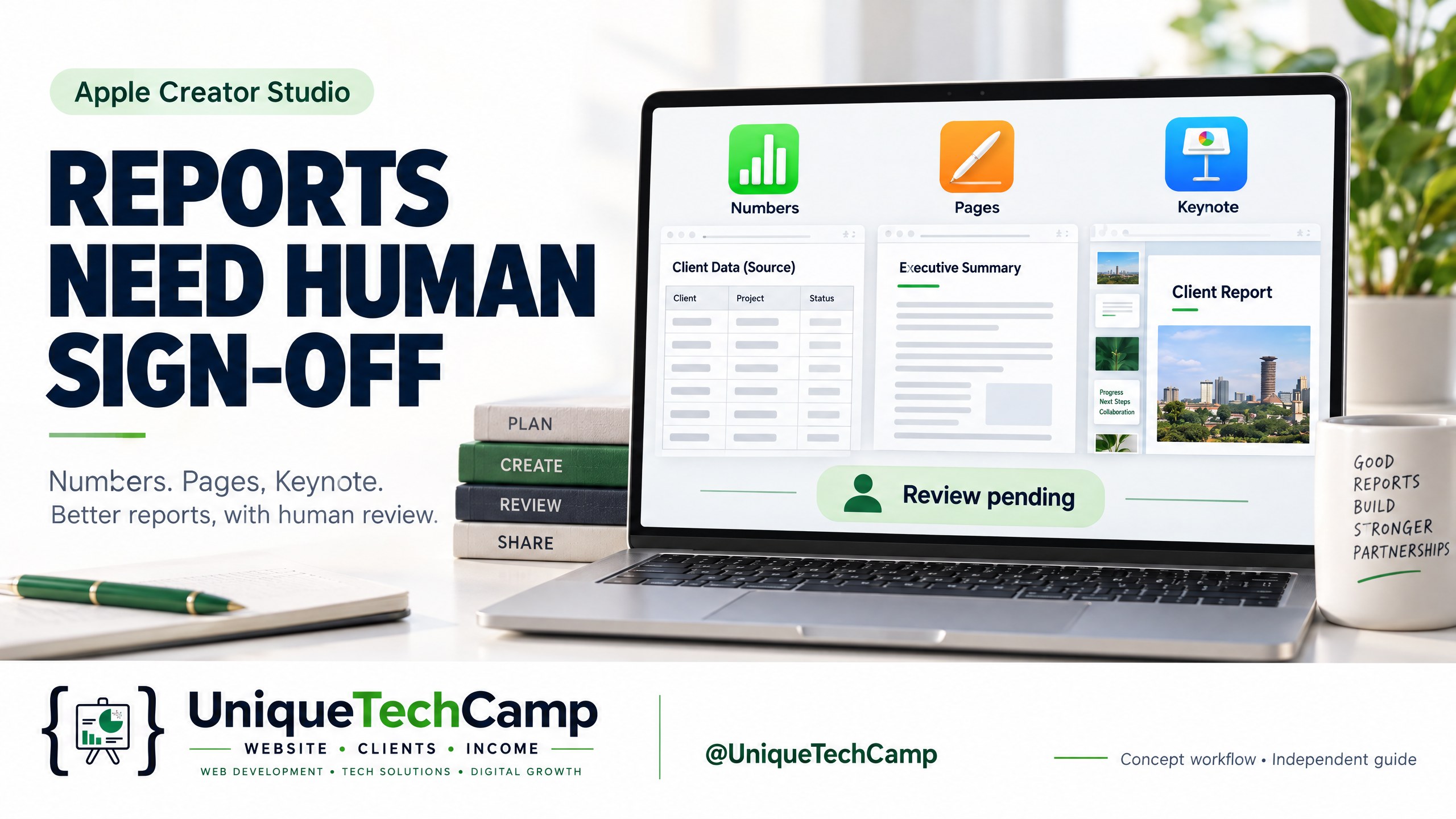
A monthly client report should answer a straightforward question: what happened, how confidently do we know it, and what should someone do next? For many Kenyan small and medium-sized enterprises, the hard part is not producing another attractive slide. It is joining website enquiries, campaign exports, call notes and sales-team updates without quietly changing definitions along the way.
Apple’s latest Creator Studio announcement makes that operational problem worth examining. The update introduces beta assistants in Keynote, Pages and Numbers that understand document context. Apple says Numbers can calculate, visualise and organise data, suggest chart types with a preview, and build tables using world knowledge; Pages can draft, restructure and refine writing; and Keynote can help design, animate and refine slides. The announcement also describes Model Context Protocol (MCP) support for external agents to read content, make edits and execute automated actions. These are promising capabilities, but they are not a licence to let an assistant invent a commercial result.
This article is a proposed pilot plan, not a hands-on review or a set of unsupported interface instructions. Treat the workflow as something to test only when the relevant features are actually available on the team’s devices and account. The aim is a repeatable monthly website-enquiry and campaign-performance report: frozen source records into Numbers, a checked narrative in Pages, and a concise client deck in Keynote, followed by independent review, human approval and PDF export hand-off.
What changed, and what has not
The official Apple announcement is dated 27 October 2026. It describes a broader Creator Studio update and says the updates will be available on the App Store in November as a free update for existing subscribers. That is not a new bundle launch, and it does not mean every assistant is already live everywhere. A 9to5Mac report from 22 October discussed beta release notes earlier, but its author said the assistant was not yet visible after updating. These are different release signals: beta release notes versus a broader announced update. Neither proves universal availability today.
The relevant assistants are described as being built on Apple models and OpenAI. They require an Apple Intelligence-capable device running iOS 27, iPadOS 27 or macOS 27 or later, and are available in U.S. English only. MCP support for Keynote, Pages and Numbers requires macOS 27 or later. That matters for a Kenyan business deciding whether a Mac-based reporting desk is feasible; an iPhone or iPad should not be presented as a universal route to MCP automation.
The Creator Studio product page lists the standard price as US$12.99 per month or US$129 per year. It also shows a conditional trial and says Keynote, Pages and Numbers remain free, while a subscription adds premium content and intelligence features. This is a US list price, not a Kenyan quote or a currency conversion. A trial can renew automatically under its terms, so it should not be treated as a recommendation to sign up. Before a pilot, verify the device, operating-system version, region, account type, locale and actual feature availability.
Apple’s Kenya support guidance says the subscribing account must be a personal Apple Account, not a Managed Apple Account. A Kenya support page is useful context but does not prove that a particular beta assistant or MCP path is available for a specific Kenyan account. Separately, Apple’s intelligence-feature guidance says some specified existing features send requests and shared content to OpenAI or Google Cloud under described conditions, and that providers are not allowed to use that information to train their models. Do not turn that into a blanket promise about every new assistant or MCP action. Check the disclosure for the exact feature before placing client or personal data into it, and assume local network, policy and contractual requirements still matter.
A seven-step source-checked reporting workflow
1. Freeze the monthly evidence pack
Set a reporting cut-off before anyone asks an assistant to summarise results. Save a read-only export of website enquiries, campaign-platform results, landing-page records, call or WhatsApp lead logs where permission allows, and the sales-status extract supplied by the client. Record the export date, time zone, system, filters, date range and person responsible. Keep the original files unchanged and work from a clearly named copy.
2. Define metrics and denominators before calculating
Create a small data dictionary in Numbers before building the dashboard. Define an enquiry, a unique enquiry, a qualified enquiry, a booked consultation, a spend record and a reporting day. State whether the count is based on rows, unique contact details, form submissions, tracked calls or a client’s CRM status. State whether campaign performance uses platform-reported clicks, sessions, leads or a reconciled website count.
This prevents familiar labels from hiding different maths. “Conversion rate” could mean enquiries divided by sessions, or qualified enquiries divided by enquiries. “Cost per lead” could use spend divided by platform leads, website leads or deduplicated leads. Put the denominator beside every percentage and write “not available” when the source does not support it. Never fill a missing denominator with an estimate merely to make a chart complete.
3. Reconcile formulas and exceptions
Use formulas for totals, rates and differences, then test them against the source exports. The Numbers formula guidance is a useful reference for the mechanics, but the reviewer still needs to inspect each range. Reconcile total enquiries by source, date and channel. Check for duplicate IDs, blank dates, inconsistent currency labels, negative spend, impossible percentages and campaign names that changed mid-month. Where a website count and an advertising-platform count disagree, show both and explain the reason if it is known. Do not force them to match.
4. Build charts with honest axes and missing-data notes
Mark missing days or unavailable channels instead of converting them into zero. A blank source export is not the same as zero activity. If tracking changed on 14 October, add a note to the chart and avoid a before-and-after conclusion unless the break is understood. Numbers’ chart suggestion and preview may speed up selection, but the proposed chart remains a draft. The owner of the report must check titles, legends, labels, axis scale, rounding and whether the visual implies causation; Apple’s chart text and label guidance does not replace that judgement.
UniqueTechCamp’s AI workflow team can help map source fields, approval ownership and exception handling before an assistant is connected. The useful starting deliverable is a reviewed metric dictionary, not an automated claim about growth.
5. Draft the narrative in Pages from approved figures
Only after the Numbers workbook has a review status should Pages receive the approved figures and notes. Copy the approved Metrics table and source-ID notes into a clearly labelled Pages draft; do not assume its assistant can inspect a separate workbook. Ask for a short structure: executive summary, what the records show, data limitations, actions for the next period, and questions requiring client confirmation. Require every numerical statement to point back to a named table, cell range or source ID in the working file.
A copyable prompt for the proposed pilot is:
Using only the frozen source excerpts and the approved Metrics table copied into this document, draft a client-report narrative in British English. Preserve the definitions and denominators exactly. Do not infer revenue, return on investment, lead quality, causation or business growth unless those outcomes are explicitly present in the source records and approved by the reviewer. Identify missing data, conflicting totals and changes in tracking. Use “not available” where evidence is insufficient. Separate observed results from possible next actions. Do not invent campaign outcomes, customer motives, quotations or recommendations that require legal, medical or investment judgement. Add a bracketed source ID after each numerical claim. This is a draft only: leave it for one independent reviewer, then require owner approval before any client-facing export.
The prompt is a boundary, not a guarantee. Keep confidential information to the minimum necessary, remove unnecessary names and contact details, and retain source files under agreed access controls. Pages can improve readability; it cannot validate the table.
6. Turn the approved story into a Keynote hand-off
Use Keynote for a decision-friendly summary, not as a second spreadsheet. A compact deck might cover the reporting period, headline measures, channel evidence, website-enquiry journey, exceptions and next actions. Put the definition or caveat directly beside the relevant figure. If a slide says enquiries rose, show the comparison period, count and denominator. If the available evidence only shows more form submissions, say exactly that.
The assistant may help refine slide hierarchy, animation or wording when the feature is available. Keep the deck accessible to the reviewer: use readable contrast, meaningful chart titles, alt text where supported, and a final slide listing source dates and unresolved questions. Do not ask it to create a persuasive success story from incomplete data. A polished slide can make weak evidence look stronger, which is precisely why visual review is required.
7. Review, approve and hand off the PDF
Assign a reviewer who did not prepare the first draft. Their checklist should cover source completeness, metric definitions, formulas, duplicated rows, date ranges, chart axes, missing-data labels, privacy exposure, prompt restrictions, wording and slide consistency. They should compare each headline number in Pages and Keynote with the approved Numbers output, not merely proofread the prose.
Record corrections and the time spent on drafting and review. The report owner then approves the final version, names the approval date and authorises PDF export and hand-off. Keep the editable Numbers, Pages and Keynote files with the frozen source pack and exception log. Use Numbers’ export guidance as a file-format reference, then confirm that the approved client PDF preserves the intended layout. Send it through the agreed client channel, with a clear note about the period covered and any unresolved limitation. Automation can prepare a hand-off queue; it should not silently email an unapproved report.
Measure the workflow, not just the campaign
A pilot should be judged on process quality rather than an unsupported promise of more revenue. Track minutes spent preparing the draft and reviewing it, the proportion of source claims that survive review, the number and type of corrections, the number of client questions caused by unclear definitions, and the time from source freeze to approved PDF. Also record how often a missing field or changed campaign label blocks a conclusion.
Use the same frozen source pack for a manual baseline and an assistant-assisted run. Record drafting and review time together: faster prose is not a saving if correction work rises. Keep the first trial internal so no client receives an untested report.
Limits, privacy and MCP
MCP could eventually make the Numbers-to-Pages-to-Keynote hand-off more connected, but the capability changes the risk profile. An external agent that can read content, edit a document or execute an action needs a defined scope, a named account, a limited folder, an activity log and a way to revoke access. Start with copied, non-sensitive records and read-only preparation where possible. Do not give an agent unrestricted access to a client’s entire drive because a monthly report would be convenient.
For Kenyan SMEs, review data-residency expectations, client contracts, consent notices and internal access rules before sending personal data to any third-party model or connected agent. Remove phone numbers, email addresses and free-text notes unless they are essential to the approved task. Keep a human approval gate before edits become client-facing and before any automated action can send, publish or overwrite a source file.
Do not present U.S. English-only beta availability as a minor inconvenience. It can affect prompts, spelling, client language and who can practically review output. A Mac running the required version may be the only relevant route for MCP, while the assistant itself still depends on a compatible Apple Intelligence device and account. Availability, regional support and feature disclosures must be checked again when the team actually pilots the workflow.
Frequently asked questions
Is this a recommendation to buy Apple Creator Studio now?
No. It is a controlled pilot design for a feature set Apple announced for November, with beta and availability caveats. The standard US list price is US$12.99 per month or US$129 per year, and the trial is conditional and renews under its terms. Existing Keynote, Pages and Numbers remain free, while paid features require an eligible subscription. A Kenyan business should verify availability, account eligibility, device requirements and total cost before deciding.
Can the assistant calculate our true marketing ROI?
Only if the frozen records contain a reliable cost definition, attributable outcome data and an approved calculation method. An assistant can help apply a formula, but it cannot create sales, profit or attribution evidence. If revenue, margin or conversion data is missing, report the supported enquiry or campaign measures and label the commercial outcome as not available.
Can we use MCP from an iPhone or iPad to automate the whole report?
Do not assume so. Apple’s announcement says MCP support in Keynote, Pages and Numbers requires macOS 27 or later. The assistants also have device, operating-system and U.S. English requirements. Treat a Mac-based path as a proposed pilot route, verify the actual release and permissions, and keep the hand-off human-approved.
What should the reviewer do when the chart looks persuasive but the data is incomplete?
Stop the export, mark the missing data and revise the visual or remove it. Check the axis, comparison period, denominator, source date and whether a blank was incorrectly treated as zero. A clear limitation is more useful than a confident chart that invites a client to make an unsupported decision.
Conclusion
Apple’s Creator Studio update could make a disciplined monthly report easier to assemble, especially when Numbers, Pages and Keynote share a carefully prepared evidence pack. The opportunity is not “AI writes the client report”. It is a controlled chain: freeze records, define measures, reconcile formulas, inspect visuals, restrict prompts, review independently, approve as owner and then export the PDF.
That chain protects the client relationship as much as it improves efficiency. For Kenyan SMEs, the practical test is whether a reviewer can trace every important statement back to a source and explain every limitation without guesswork. Start with one low-risk reporting cycle, measure corrections and review time, and expand only when the controls are working.
Need this built for your business?
UniqueTechCamp’s AI Solutions Desk can help you design a source-checked reporting workflow, set the human approval points and document the hand-off. Book a consultation to discuss a practical pilot, or explore Excel data analysis when you need cleaner source data, reconciled formulas and a more dependable reporting hand-off.
Deploy An Autonomous AI Lead Gen System Today
We engineer high-converting web applications with integrated 24/7 WhatsApp qualification bots and multi-channel follow-up drips.
Related Strategy Articles

CrowdStrike AI Kill Switch: SME Team Reviewing an Agent Safety Dashboard
A practical SME playbook for reviewing CrowdStrike’s AI Kill Switch, testing agent containment safely, measuring trade-offs and checking Kenya eligibility.

Microsoft Agent 365 Business Analytics: An SME Readiness and Value-Validation Guide
Microsoft Agent 365 Business Analytics is in Frontier preview. Here is how Kenyan and East African SMEs can validate access, usage cost, value, privacy and readiness before buying licences for a dashboard.

Canva AI Controls: SME Design Review and Human Approval on a Laptop
A practical Canva AI Controls workflow for Kenyan and global SMEs: control settings, human review, asset provenance, measurements, costs and limitations.

UniqueTechCamp Desk
Online • Reply < 5 mins