
AI Product Photography for Kenyan Retailers: A Human-Checked Adobe Firefly Workflow
A practical Adobe Firefly workflow for Kenyan retailers: preserve real product photos, improve backgrounds and check every image before publication.
UniqueTechCamp Editorial
Lead Systems Architect • UniqueTechCamp Engineering Unit
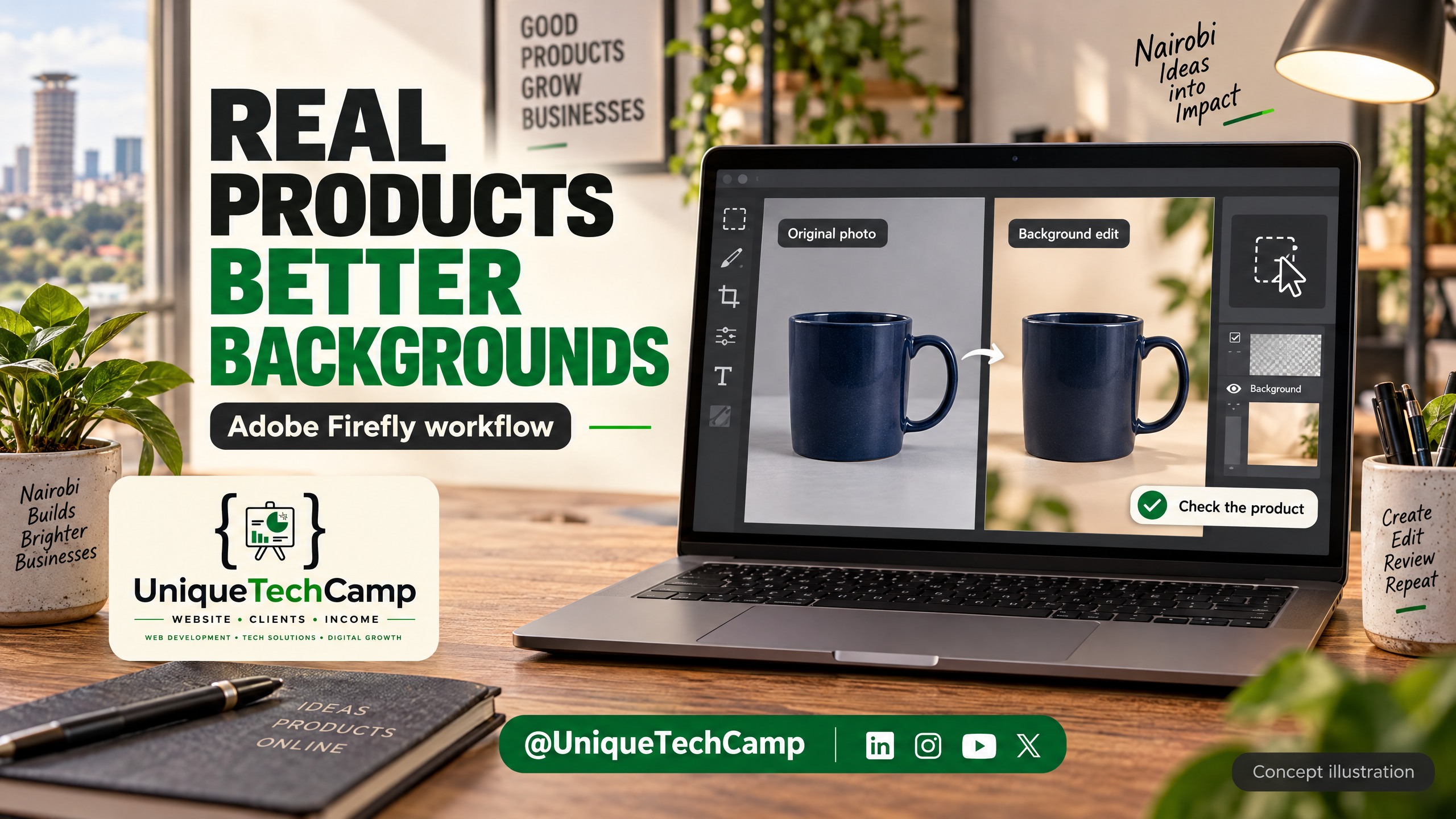
Visual note: The cover is an AI-generated concept illustration of a product-background review, not a real catalogue photograph or Adobe interface screenshot.
A product photograph does two jobs for a Kenyan retailer. It helps a shopper recognise the exact item, and it gives that item a setting that feels useful rather than anonymous. The first job depends on reality: the shape, label, colour, texture and included parts must be visible and true. The second is where Adobe Firefly can help. You can start with a real photograph, mask the product, and generate or replace the background around it.
This is a practical production workflow, not a launch announcement or a promise of more sales. The central rule is simple: use generative AI to improve the surrounding scene, never to invent a substitute product. Keep the original file, preserve the product pixels where possible, and make a person responsible for the final approval.
The problem: attractive images can still misrepresent the item
Small retailers often have the right stock but inconsistent photography. One phone photo may have a busy countertop; another may be dark; a third may show the product in a useful setting but leave no clean image for a catalogue. Re-shooting every SKU is expensive in time, space and coordination. A generated background can solve a presentation problem, but it cannot solve a product-truth problem.
A prompt that changes a bottle’s cap, a shoe’s stitching, a phone’s camera layout or a packet’s nutrition panel is not a harmless tidy-up. It can make the image disagree with the physical item, packaging, product description or stock record. That creates customer confusion and can create channel-policy problems. Do not generate replacement product geometry, labels, serial numbers, barcodes, ingredients, measurements, safety information or accessories that are not sold with the item.
For a Nairobi fashion shop, the safe distinction might be a real handbag photographed on a table, with the table replaced by a neutral studio surface or a plausible home setting. The bag remains the source of truth. The setting is an editable creative layer. If the product itself needs retouching, use conventional, reversible edits and obtain a second review for any change that could affect recognition.
What Firefly can do, and what access means
Adobe’s official Photoshop Generate Background guide describes a workflow that starts with an image, removes the background, and uses Generate Background from the Contextual Task Bar. You can describe a setting with a prompt or use an imported image as the basis for the new background. Adobe’s Firefly Generative Fill guide likewise documents uploading an image, selecting an area and using Generative Fill to add, remove or transform content.
For this article, the important capability is controlled compositing: isolate the photographed product, generate a surrounding background, and inspect the boundary where the two meet. Generative Fill is not an authenticity check. It does not know whether a label is legally required, whether a colour is the variant you stock, whether a shadow implies an impossible light source, or whether the item is shown at a misleading scale. Those are review decisions.
Use an Adobe ID, a stable internet connection and a supported country. For Firefly-powered tools inside Adobe software, verify the relevant software entitlement too. The Firefly web app has free and paid access options; check the account and current product page before planning a batch rather than assuming every feature is included.
Adobe’s generative credits FAQ explains that credits are used across Firefly-powered features and that consumption depends on the feature and plan. Most standard generative features, including Generative Fill with Adobe Firefly models in Photoshop, use 1 generative credit per generation, although some standard features can use more. Paid Firefly plans currently provide unlimited access to standard image generations, while premium features use the monthly credit allocation. Credits renew on the billing date and do not roll over.
The current US-facing Adobe Firefly plans page lists Firefly Standard at US$9.99 per month with 2,000 generative credits per month, Firefly Pro at US$19.99 per month with 4,000 generative credits per month, Firefly Pro Plus at US$49.99 per month with 10,000 generative credits per month, and Firefly Premium at US$199.99 per month with 50,000 generative credits per month. These are official global-page figures, not a quote in Kenyan shillings. Local taxes, currency conversion, offers, billing terms and account availability may differ. Treat the live plan page as the source of truth rather than assuming a free plan is unlimited.
Adobe’s Firefly FAQ says outputs from features without a beta label can be used in commercial projects; beta features may be used unless the product says otherwise. That is not a blanket clearance for every input, partner model, brand asset or business claim. Keep permission to use the original product photograph, packaging and any people or locations in the image. Adobe also says Content Credentials can record creation and editing information and indicate that generative AI was used. Preserve that provenance metadata when exporting and record which file became the published asset.
A controlled workflow: one real product, one measured test
Imagine a Kenyan homeware retailer with an original photograph of a six-piece storage set. The approved product record says six boxes, a specific colour, a fixed size and a stated price. The image is slightly cramped and has a distracting household background. The retailer wants one clean catalogue image and one contextual image for a product page.
- Freeze the source. Copy the original photograph to a working folder without overwriting it. Record the SKU, variant, date, photographer, source permission, original dimensions and the approved product facts. Keep a second untouched copy in the retailer’s normal backup system.
- Choose the channel job. Decide whether the output is a main catalogue image, an additional angle, a lifestyle image, a social post or an editorial illustration. Do not make one composite do every job. A channel may apply different rules to a primary image and a contextual one.
- Prepare the real photo. Correct exposure and crop conservatively. Use a selection or remove-background action to create a mask that retains the product. Zoom into handles, seams, transparent parts, reflective edges, text and thin cables. If the mask cuts a real edge or includes part of the old surface, stop and refine it before generation.
- Generate the setting, not the item. In Photoshop, use Generate Background after removing the background, or use Firefly Generative Fill on the selected background area. Prompt for a setting such as “soft daylight on a clean warm-grey studio surface, subtle natural shadow, generous space around the product, no text, no extra products”. Keep the product area excluded from the selection. Generate a small set of alternatives, then reject any that introduce props, hands, logos, labels or reflections that alter what a shopper might infer.
- Check the join. Inspect the mask edge at high magnification and at normal mobile size. Look for halos, repeated textures, melted handles, impossible contact shadows, reflections that do not match the product, and a surface that makes the item look suspended. A background can be synthetic while the boundary still needs to look physically coherent.
- Restore the product reference. Compare the composite beside the untouched original and the SKU record. Confirm the count of pieces, silhouette, colour, logo, label, texture, ports, stitching, scale and included accessories. If a generative result has altered any of these, discard it or replace the product layer with the original. Do not paint over a changed label and call it verified.
- Export deliberately. Create a named working file, a review JPEG or WebP, and a final channel-specific export. Preserve Content Credentials and other relevant image metadata rather than stripping it as an afterthought. Record the prompt, model or feature used, editor, reviewer, date, source file and approved output. The record helps a team reproduce or withdraw an image.
- Release only after human approval. A person familiar with the stock, product copy and channel must approve the final image. For food, cosmetics, electronics, children’s products or anything with technical or safety implications, add a subject-matter check. This is an operational safeguard, not legal, medical or regulatory advice.
For Google Merchant Center, keep the roles distinct. Google’s image link guidance describes image_link as the primary product image and says it should clearly show the exact item, without promotional overlays or generic substitutes. The same guidance points to additional images and a lifestyle image link for in-context representations. Google’s lifestyle image guidance describes a real-world setting and says generative-AI images must retain metadata indicating AI generation. These are platform guidelines, not a complete compliance assessment and not a conclusion about every sales channel.
In practice, use the cleanest, least ambiguous approved photograph for the main image where the channel expects it. Put the Firefly-enhanced scene in an allowed contextual or lifestyle slot after checking the current feed requirements. Do not assume that a beautiful background turns a synthetic composite into a suitable primary image.
A retailer that needs the workflow connected to a catalogue, product-page templates or approvals can ask UniqueTechCamp’s AI Solutions Desk to map the hand-offs. The useful deliverable is a repeatable process in which original assets, approvals and channel exports remain traceable.
Review checklist and editorial brief
Give the editor a short brief before they open Firefly:
Start with the supplied original product photograph. Retain the exact product geometry, labels, text, colour, texture, quantity and included parts. Change only the background or empty surrounding space. Do not add, remove or rewrite product information. Use a restrained setting that supports the product’s real use. Return alternatives for human review and flag uncertain edges, reflections, shadows and scale.
The reviewer should ask:
- Is the exact physical item recognisable beside the original file?
- Are all words, numbers, barcodes, logos, colours and measurements unchanged?
- Does the image show only items actually sold together?
- Does the mask preserve edges, transparency, stitching and reflective surfaces?
- Do shadow direction, contact and scale make sense without implying a false feature?
- Is the setting appropriate for the product and audience, with no invented claim?
- Are people, interiors, stock assets and source photographs cleared for the intended use?
- Has the output retained Content Credentials or AI metadata where the channel expects it?
- Has a named person approved the file, with the SKU and version recorded?
- Is this export being used in the right channel slot: main, additional or contextual?
Keep a reject folder. A discarded generation is useful evidence when a prompt repeatedly creates misleading edges or accessories. The aim is not to maximise generations. It is to reduce rework while preserving product truth.
Measurement and limitations
Start with a baseline. For a defined set of products, record image slot, device, date range, impressions or views, product-page engagement, add-to-cart events and completed checkout steps where those measures are available. Compare a clean original, a carefully edited background and an unedited control only when the audience, product, price, stock and placement are reasonably comparable. A short test can show whether shoppers engage with a clearer presentation; it cannot prove that Firefly caused revenue.
Also measure production quality: minutes per approved image, rejection rate, number of review corrections, metadata retained, channel disapprovals, customer questions about what is included, and time from source photo to published asset. These metrics reveal whether the workflow is helping an operating team or simply producing more files.
There are hard limits. Firefly may produce plausible but physically impossible shadows, repeated textures, incorrect reflections or edges that fail at a different crop. Small labels and packaging text can remain unreliable. A generated background cannot confirm stock, price, warranty, delivery, ingredients, safety or performance. Product photography also cannot replace accurate product data, accessible descriptions or a clear returns process.
Commercial-use language from a vendor does not transfer ownership or permission for every input asset, and Content Credentials are provenance information rather than a guarantee that an image is accurate, safe or compliant. Check the live Adobe terms, the selected feature’s status, the destination channel’s current rules and your own permissions. Obtain professional advice for a specific legal or regulatory question rather than treating this guide as legal advice.
Frequently asked questions
Can I use Firefly to create a product from a text prompt?
That is not the workflow recommended here. Start with an original photograph of the actual item. Generate a background or fill empty surrounding space, then compare the result with the source. A text-only substitute can invent geometry, colour, labels or included parts and should not be presented as a photograph of stock that was never photographed.
Is a Firefly background automatically safe for a product listing?
No. Adobe documents commercial use for outputs from non-beta Firefly features, with exceptions and feature-specific conditions. A retailer still needs permission for source assets, a human accuracy review, retained metadata where required, and a check of the destination channel’s rules. No tool automatically makes an image accurate or compliant.
Should the AI-edited image be my Google Merchant Center main image?
Not by default. Google distinguishes the primary image_link from additional and lifestyle representations. Use the channel’s current guidance and choose the least ambiguous approved image for the main slot. A contextual composite may belong in an allowed additional or lifestyle slot, but do not assume that placement is accepted for every product category or feed.
Do I need a paid Firefly plan for a small test?
Adobe currently offers a free plan with limited daily generations and paid plans with different allocations and standard-feature access. The plan page and your account determine current access. A small test should count generations, identify whether the selected feature is standard or premium, and budget for human review; it should not assume free, unlimited production.
Conclusion
AI product photography is most useful to a Kenyan retailer when it removes a presentation bottleneck without changing the product. Photograph the real item, retain it through a careful mask, generate only a restrained background, inspect the pixels and approve the final channel export with a named human. Record the source, prompt, metadata and decision so the next image is repeatable rather than mysterious.
Need this built for your business?
If your catalogue needs product-page layouts, image variants, approval steps or e-commerce hand-offs, ask UniqueTechCamp’s AI Solutions Desk to scope the workflow, book an appointment , or explore E-commerce Setup . The right starting point is a small, measurable workflow around real products—not a promise that generated imagery will solve every merchandising problem.
Deploy An Autonomous AI Lead Gen System Today
We engineer high-converting web applications with integrated 24/7 WhatsApp qualification bots and multi-channel follow-up drips.
Related Strategy Articles

Gemini Small-Business Tools: A Safe Growth Pilot for Kenyan SMEs
Google's Gemini business page brings brand, finance and app tools together. A cautious pilot for Kenyan SMEs, with privacy and review checks.

Google Docs Captions and Cross-References for Kenyan SMEs
Use Google Docs captions, cross-references and caption tables to keep Kenyan SME reports and tender documents easier to navigate after edits.

ChatGPT for Sales: A Human-Reviewed CRM Pilot for Kenyan SMEs
OpenAI's new ChatGPT for Sales adds sales workflows. Learn how Kenyan SMEs can pilot CRM connections with human review, privacy checks and clear measures.

UniqueTechCamp Desk
Online • Reply < 5 mins